Conditions and metrics
A condition is a check of an ad's metrics inside a rule. Each rule receives a single ad as input in the form of the ad object, and you access its fields through a dot: ad.spend_24h, ad.deps_total, ad.roas_24h, etc. Once the required check passes — you call an action (a pause). Read more about the structure of a rule — Creating a rule.
/** @param {Ad} ad */
function checkAd(ad) {
  if (ad.deps_total === 0 && ad.spend_24h > 100) {
    pauseAd('24h', 'нет депов при расходе > 100');
  }
}
Where to see the list of fields
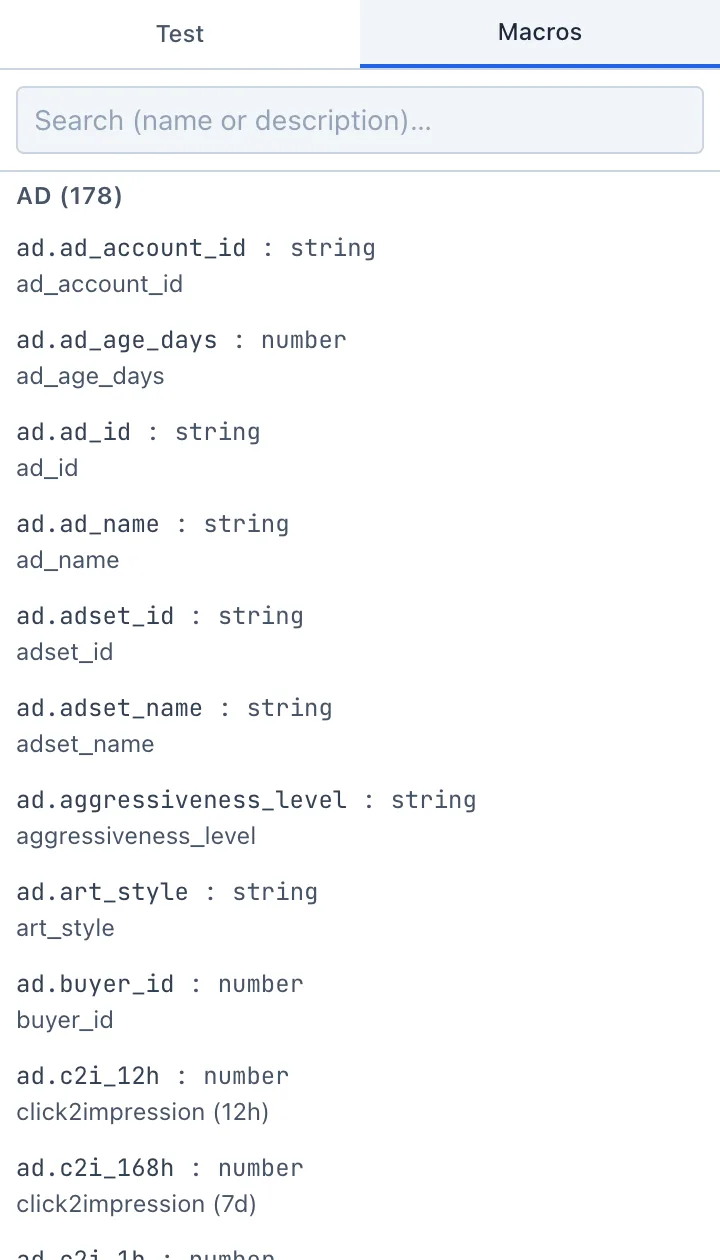
All available fields are gathered in the rule editor, on the Macros tab on the right. This is a full reference with search by name and description. Clicking a field appends it (ad.<field>) to the end of the code. The fields are grouped:
- Ad — metrics of the ad itself (spend, deposits, clicks, registrations, ROAS, CPD, etc.).
- Creative — creative data.
- Offer — offer data.
- Geo — geo and the average metrics for the ad's country.
- Network — network data.
- Prev period — the same metrics for the previous period (for a "got worse / better" comparison).
Time windows
Most metrics are available in several time windows — a suffix at the end of the field name sets the period:
_1h,_3h,_6h,_12h,_24h,_48h,_72h,_168h— for the last hour, 3 hours, … 7 days;_today— since the start of the current day;_total— for all time.
For example, ad.spend_24h — spend for the last 24 hours, ad.deps_total — deposits for all time.
Don't remember the exact field name? Open the Macros tab and use the search — it searches both the name and the description of a field.
Neighbouring ads
A rule can look not only at the current ad but also at its "neighbours" — other ads of the same adset or campaign (for example, to set a pause only if the whole adset is in the red). These functions are described in the Automated rules SDK.