Trigger logs
The Logs tab is the journal of all Britva triggers. Here you can see every action: when a rule paused an ad or returned it to work, for which ad, with what result and at which metrics. This is the first place to look to understand what Britva did and why.
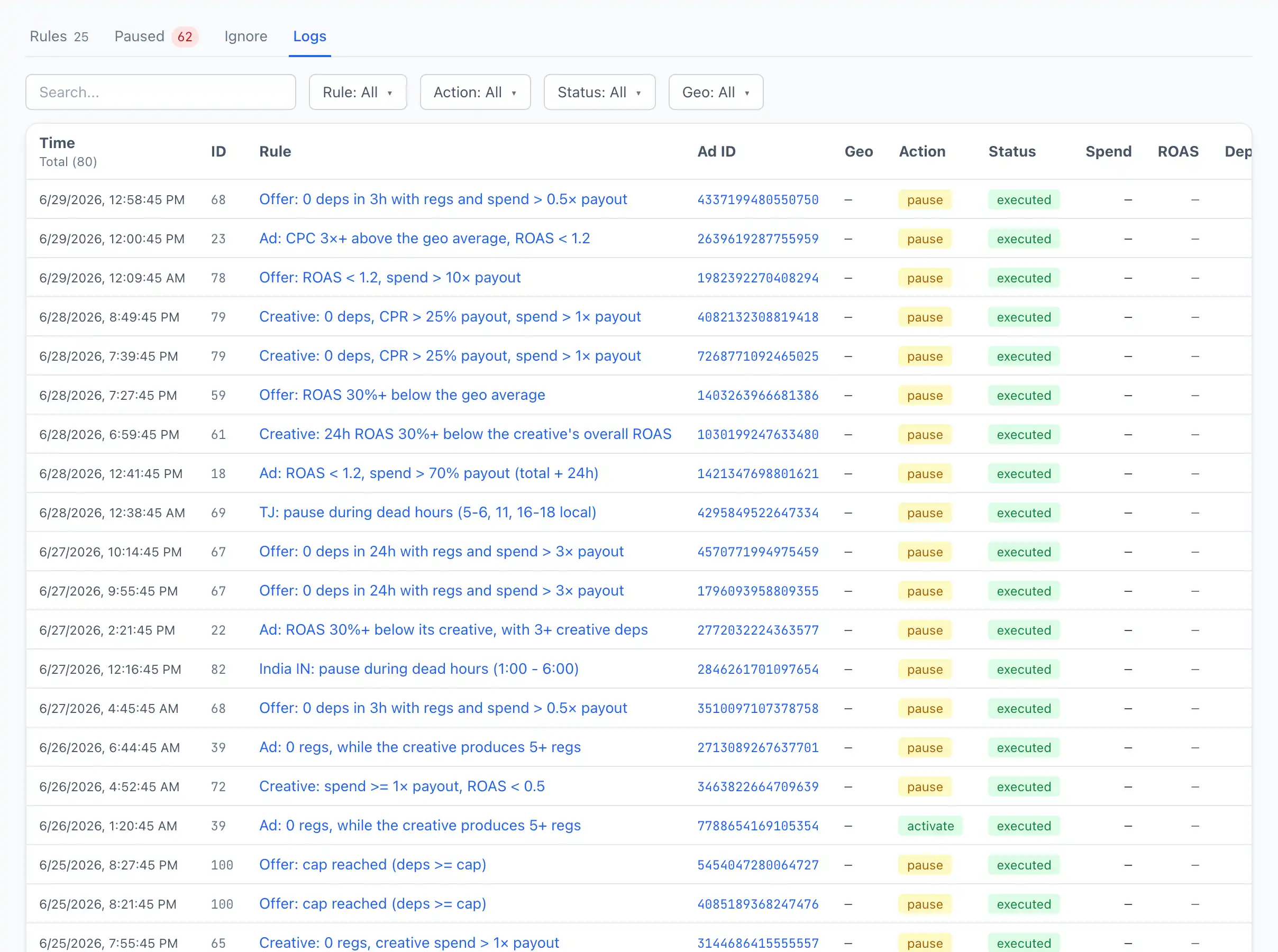
Column reference
-
Time — when the trigger happened.
-
ID — the rule number.
-
Rule — the rule name. Clickable: opens the rule itself in the editor.
-
Ad ID — the ad identifier. Clickable: opens the ad card.
-
Geo — the ad's country.
-
Action — what was done: a pause or a return to work (
activate). -
Status — the result:
executed— the action was performed successfully;failed— the action failed (for example, an error on Facebook's side);- other intermediate statuses — in a neutral colour.
-
Spend — the ad's spend over 24 hours at the moment of the trigger.
-
ROAS — the ad's ROAS over 24 hours at the moment of the trigger.
-
Deps — the ad's deposits over 24 hours at the moment of the trigger.
These three columns help understand why the rule triggered.
-
Meta — an extra note about the result (for example, the text of a Facebook error). If there is no note — a dash.
Filters
Above the table there are filters — Rule, Action, Status, Geo — and search by Ad ID. This lets you quickly select, for example, only the failed triggers of one rule or all actions for a specific geo.
If an ad unexpectedly went on pause — find it in the logs by Ad ID. The Rule column and the Spend, ROAS and Deps columns immediately show which rule triggered and at which metrics.