Paused
The Paused tab shows all ads that automated rules are currently holding on pause. Here you can see which rule is holding each ad, until when, and at which metrics it was paused. From here you can also return an ad to work manually or add it to the exceptions.
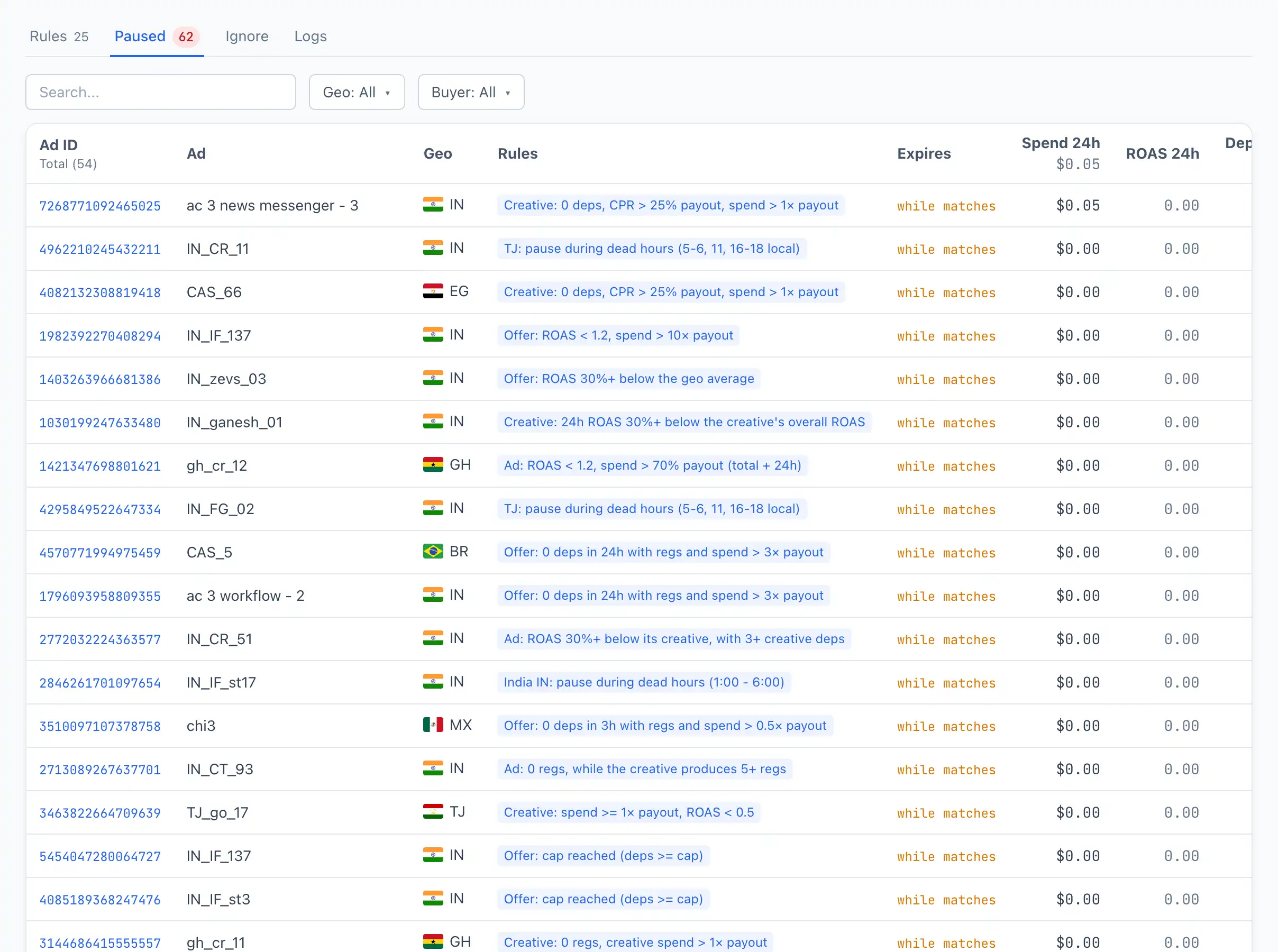
Column reference
- Ad ID — the ad identifier. Clickable: opens the ad card.
- Ad — the ad name.
- Geo — the ad's country.
- Rules — which rule (or several) is holding the ad on pause. Each name is clickable — it opens the rule in the editor.
- Expires — when the ad will return to work:
- a specific term (for example, "1d 3h") — for pauses with a fixed duration or "until midnight";
- while matches — a pause with no term: the ad will return on its own as soon as the condition stops being met;
- permanent — a pause with no return term (can only be lifted manually);
- expired — the term has already passed, the ad will return on the nearest check pass.
- Spend 24h — spend for the last 24 hours.
- ROAS 24h — return for the last 24 hours.
- Deps — deposits for the last 24 hours.
Read more about pause types — Scheduling and pauses.
Actions on an ad
In each row — two buttons:
- Activate — lift the pause and return the ad to work right now.
- Exclude icon (🛑) — add the ad to the Ignore list so Britva no longer touches it. Clicking it opens the choice of exclusion level: ad, adset, campaign, account, user or team — the relevant fields are filled in automatically.
"Activate" is a one-time return
The Activate button lifts the current pause but does not disable the rule. If the rule condition is still met, the ad may go on pause again on the next check pass. To exclude an ad permanently — add it to the Ignore list.
Filters
Above the table there are filters by Geo and Buyer, as well as search by ad name.