Campaigns
A campaign in Qubix is a traffic entry point and the rules for its distribution (TDS): a click from an ad arrives here, and the campaign decides what to show the visitor — a PWA, a landing, an offer or a whitepage. This is not a Facebook ad campaign (that lives on the ad account's side and reaches Qubix as a separate entity).
The Campaigns section opens with a list of all campaigns and their summary metrics. Clicking a row opens the campaign card.
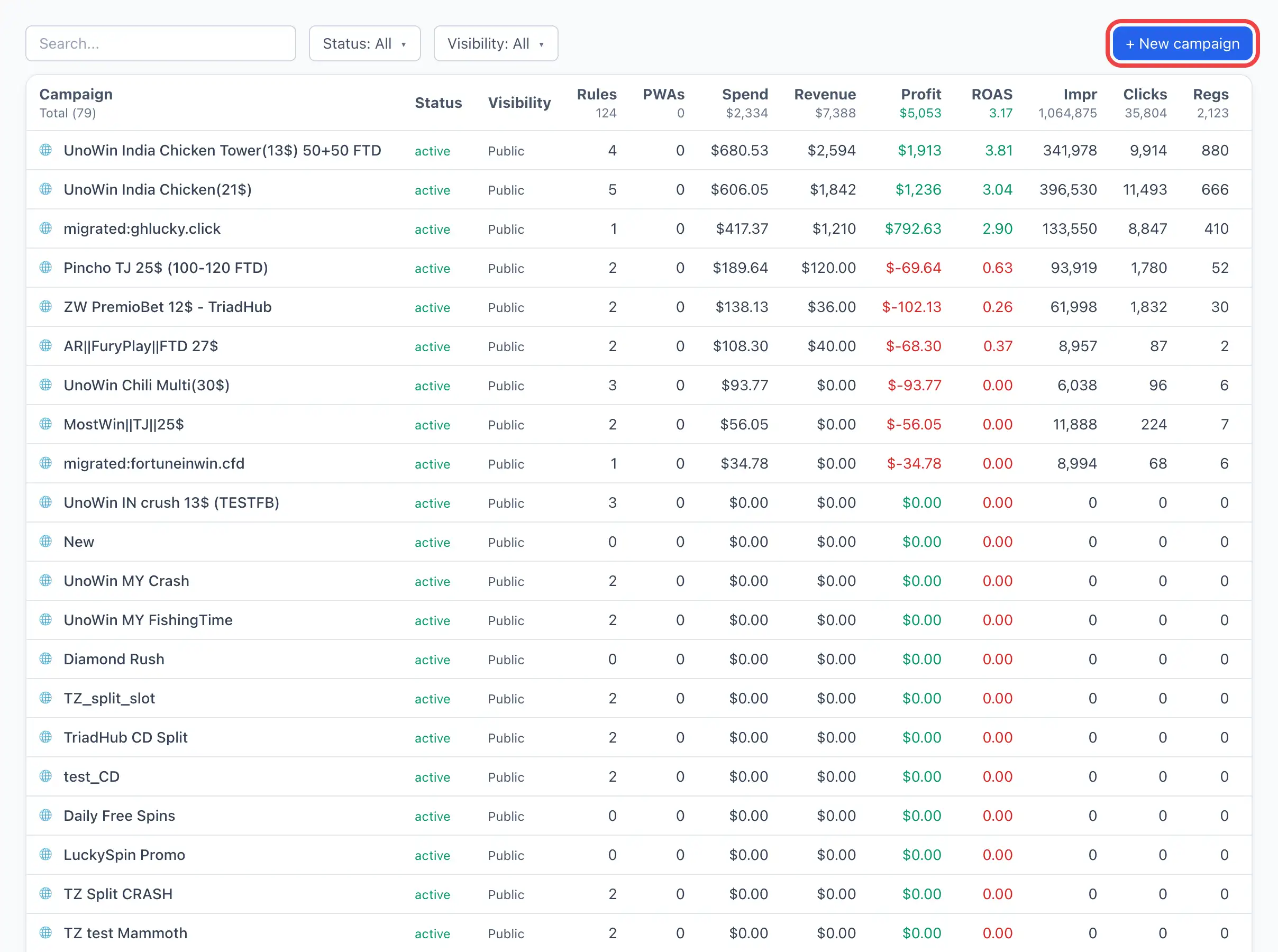
The campaign list
Top right — the + New campaign button (visible only with the right to manage campaigns). It immediately creates a campaign and opens its card — see Creating a campaign for details.
Each row of the list is one campaign. Columns:
| Column | What it shows |
|---|---|
| Campaign | The campaign name. On the left — a visibility icon: 🔒 private, 👥 team, 🌐 public. |
| Status | The campaign state: active, paused or deleted. |
| Visibility | Who can see the campaign: Private / Team / Public. |
| Rules | How many distribution rules are configured in the campaign. |
| PWAs | How many PWAs are involved in the campaign. |
| Spend | Spend on traffic. |
| Revenue | The campaign revenue. |
| Profit | Revenue minus spend (green — plus, red — minus). |
| Impressions | Ad impressions. |
| Clicks | Clicks. |
| Registrations | Registrations. |
| Deps | Deposits. |
| Installs | PWA installs. |
| Updated | The date and time of the last change. |
Above the table there is search by name. Any column can be sorted by clicking its header.
The campaign card
Clicking a row opens the card. At the top — the campaign name, the number of rules and the traffic source, and below them — a single metrics panel and a chart for the selected period. The tabs follow below.
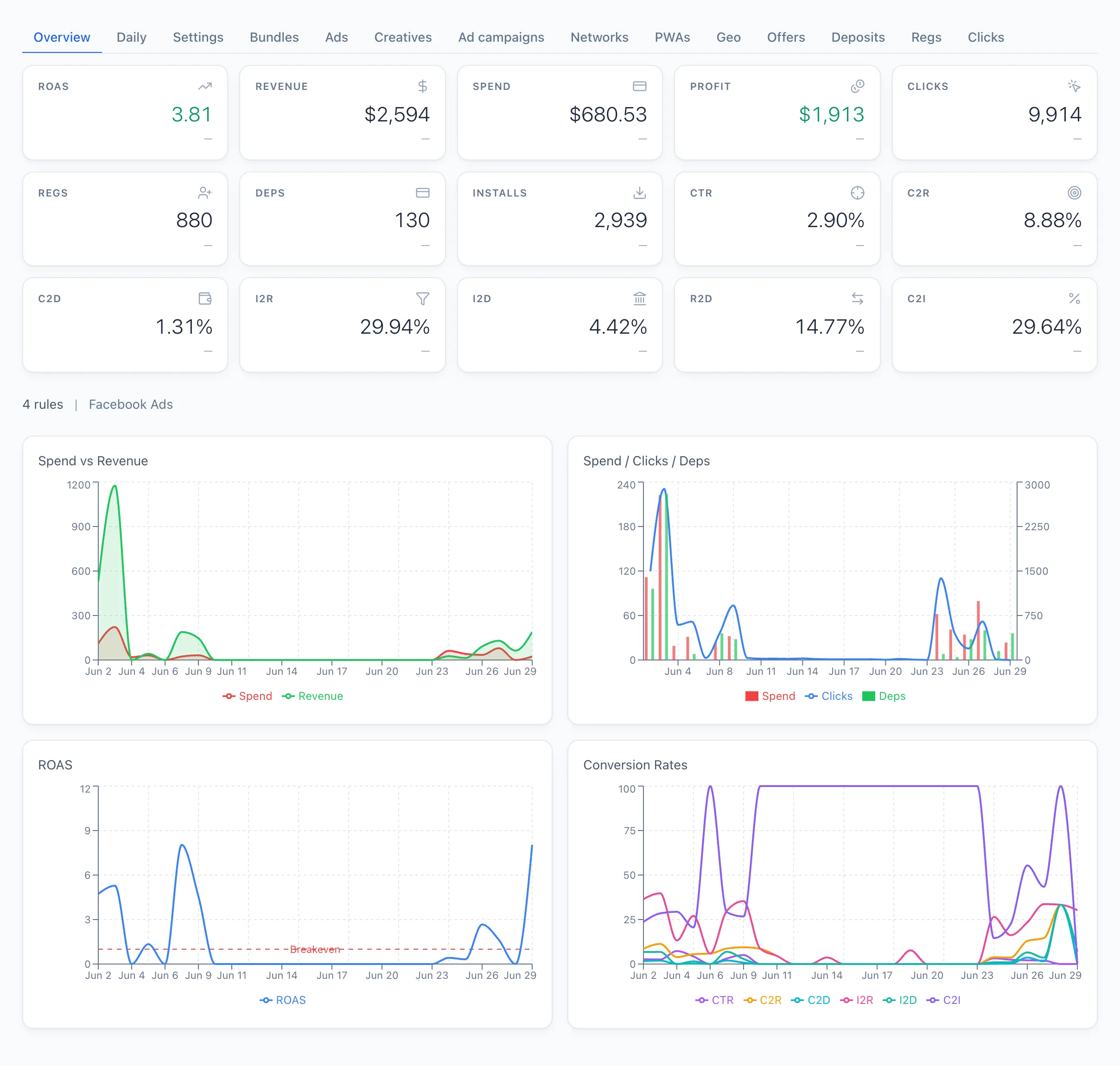
| Tab | What's inside |
|---|---|
| Settings | The campaign editor: name, source, visibility, notes, rules and targets, entry points and cloaking. In detail — Creating a campaign. |
| Bundles | The campaign funnel: how the traffic passed through the stages (clicks → registrations → deposits). |
| Daily | Metrics broken down by day for the selected period. |
| Ads | Metrics in the ad breakdown; clicking a row opens the ad. |
| Creatives | Metrics in the creative breakdown. |
| Ad campaigns | Metrics in the breakdown of Facebook ad campaigns. |
| Networks | Metrics in the affiliate network breakdown. |
| PWA | Metrics in the breakdown of PWA apps. |
| Geo | Metrics by country. |
| Offers | Metrics in the offer breakdown. |
| Deposits | The list of deposits for the campaign. |
| Regs | The list of registrations for the campaign. |
| Clicks | The list of clicks for the campaign. |
You set the period and granularity at the top of the card — they apply to all tabs with metrics.