Creatives
Creatives is a standalone page — a list of all the banners and videos from your ads with metrics, plus a card for each one. You can quickly find which visuals work and which don't.
The same data is also available as the Creatives tab in the Facebook section and as a creatives tab inside the cards of related entities — campaigns, ad campaigns, offers, networks, PWA, geo, sources and browsers — where it is narrowed down to that entity.
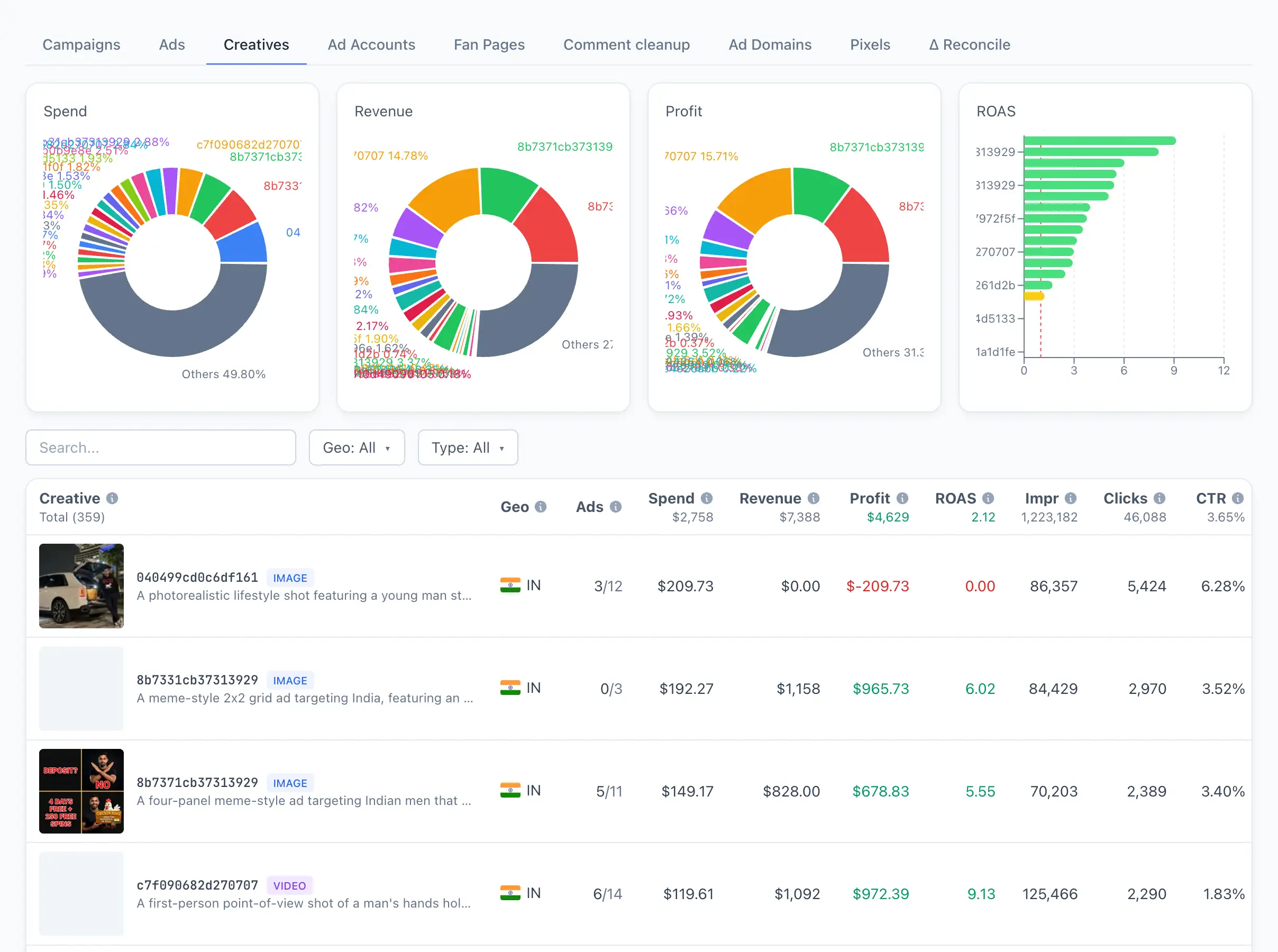
Creative list
Above the table are distribution charts: they show how the creatives for the period break down by different attributes. The table itself shows the preview, geo, number of ads and metrics (spend, revenue, profit, ROAS, CTR and so on) for the selected period.
Search works by creative ID. The following filters are available:
- Geo — by country.
- Type — media type (image, video, carousel).
Clicking a row opens the creative card.
The first column holds the creative: the preview, the name (or, when there is none, the beginning of the number), a badge with the media type and the number under the name. The table can also have rows that belong to no creative; each is named by the reason:
- No ad — the ads of the row are not found in Qubix;
- No access — the ads exist in Qubix, but are hidden from the table;
- No creative — the ads are found, but they have no creative.
Under the name of such a row stands the number of its ads, … ads (the number stands in place of the dots). A table that cannot tell the reason names the row Other ads; the same words stand for the ads without a creative in the legend of the distribution charts, where every other slice is named by the media type of the creative or, when it is not known, by the beginning of its number.
The hints of the column headers are in Metrics and columns; the notes under the charts are explained in the same article.
Creative card
On the left is the media itself: the image is visible right away, the video loads when you click the preview. Any file can be downloaded with the download button in the corner.
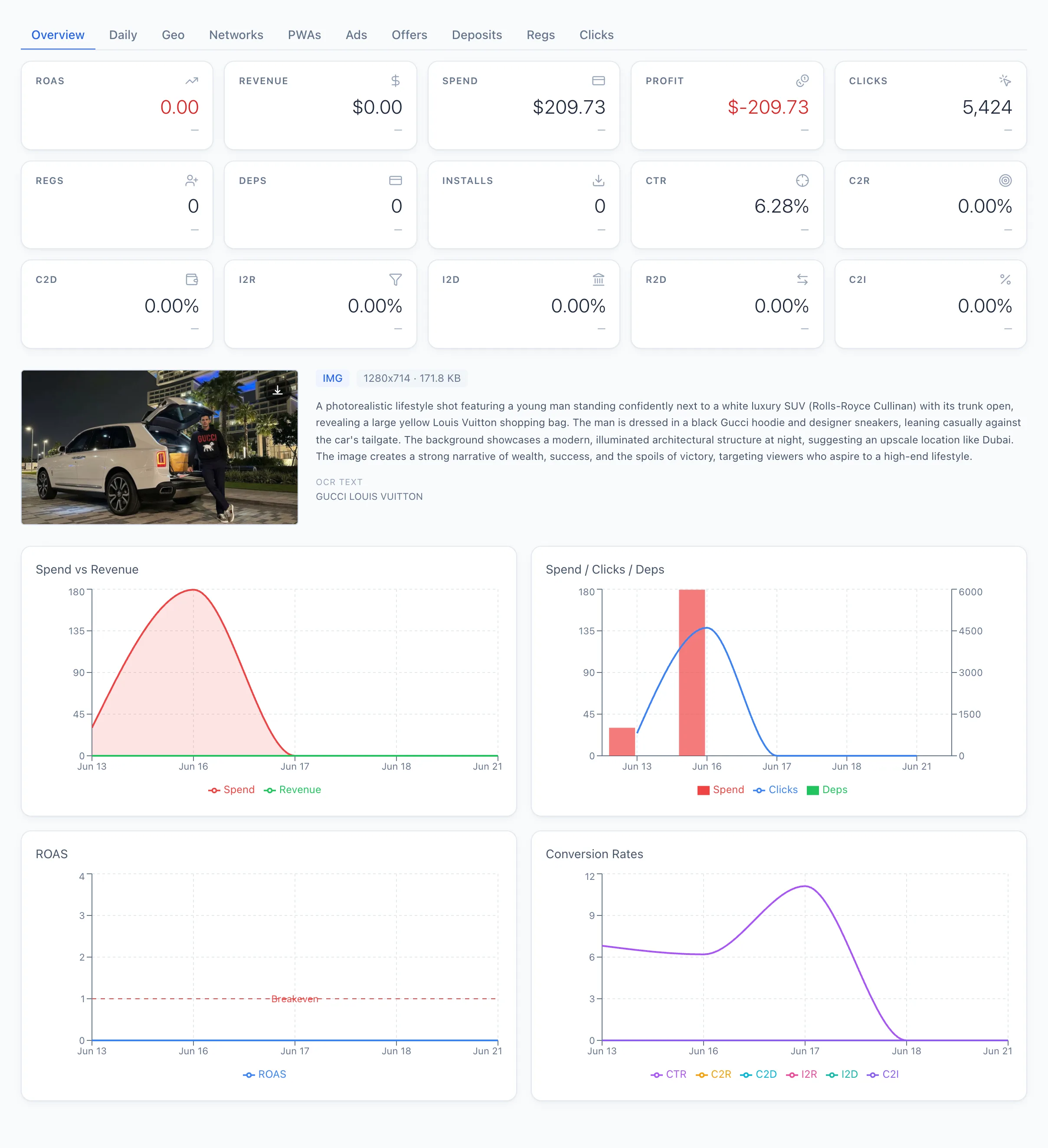
Badges at the top: the media type and the creative's resolution and file size.
Below are tabs with metrics for the period: Daily, Geo, Networks, PWAs, Ads, Offers, Deposits, Regs, Clicks. The PWAs tab stands in the card when the plan of your installation includes PWA; otherwise it is not shown.