Regs
The Regs tab in the Audience section shows registrations in the network for the selected period. Each row is one registration attributed to an ad, campaign, offer, and source.
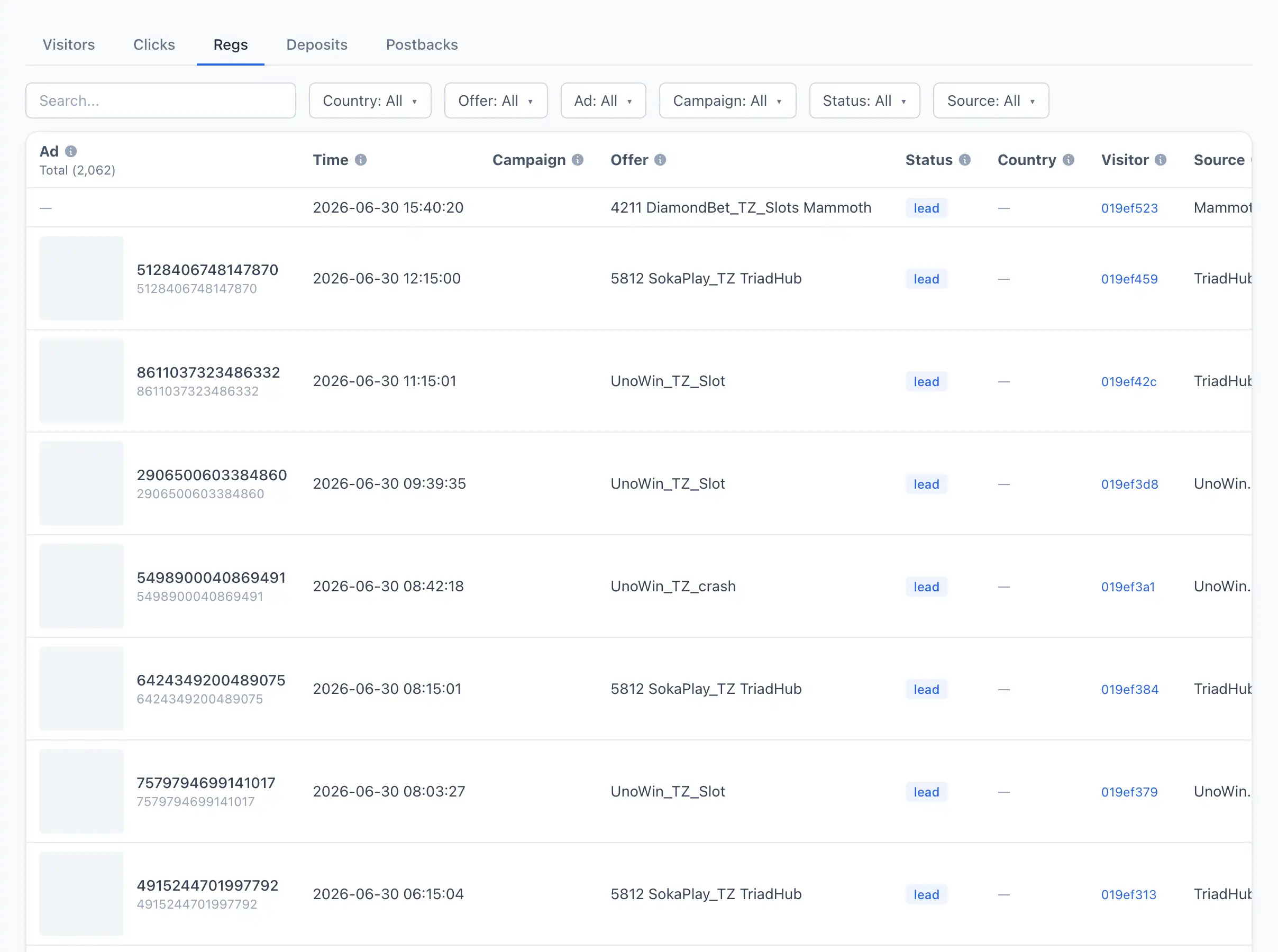
When the tab is opened by an address that leads straight to it — for example, from an old bookmark — the window stands in the dock as Regs, and the same name begins the browser tab's title while the window is in front.
Columns
- Ad — the ad that drove the registration.
- Registration time — the moment of the registration in your profile's time zone. How the days of a period are counted — see Period.
- Status — the registration status in the network.
- Click → Reg — how long it took from the click to the registration: a bar with the label after … under it (the dots stand for the time). When the registration has no click time, the cell shows a dash. Hover over the bar to see the time of the click and of the registration. The column sorts by this time. The hint of the header: The path from click to registration and deposit: the bar shows each stage, below are the stage durations and the total; hover for exact times.
- Offer — the offer.
- Ad campaign — the ad campaign.
- Campaign — the tracker campaign the click came through; a dash when there is none.
- Visitor country — the geo (flag).
- Device — the device type.
- OS — the operating system.
- Browser — the browser.
- Source — the traffic source. A visit that came by none of the sources of its tracker campaign, and its conversions, read No source — see One landing, several sources.
- Affiliate — the affiliate network of the offer the click went to.
- Visitor — the visitor identifier. If the identifier was issued by Qubix, the cell opens the visitor card; other identifiers are shown as plain text.
- Landing page — the landing page from the Landing pages section through which the visitor came to the registration: the landing page of their last visit from an ad before it. If that visit has no landing page, the cell shows a dash.
Most column headers carry an information mark with a hint; the hints of the columns that the Clicks, Regs and Deposits tabs share are listed in Audience.
Search and filters
Search finds rows by visitor identifier, offer, ad, campaign, country code, source, and status. The available filters are: Visitor country, Offer, Ad, Ad campaign, Campaign, Status, Source, Device, OS, Browser, Affiliate, and Landing page.