Ad Accounts
The Ad Accounts tab shows all the Facebook ad accounts linked to your browser profiles. Here you can see which accounts are alive, which have a billing hold, and where there are rejected ads.
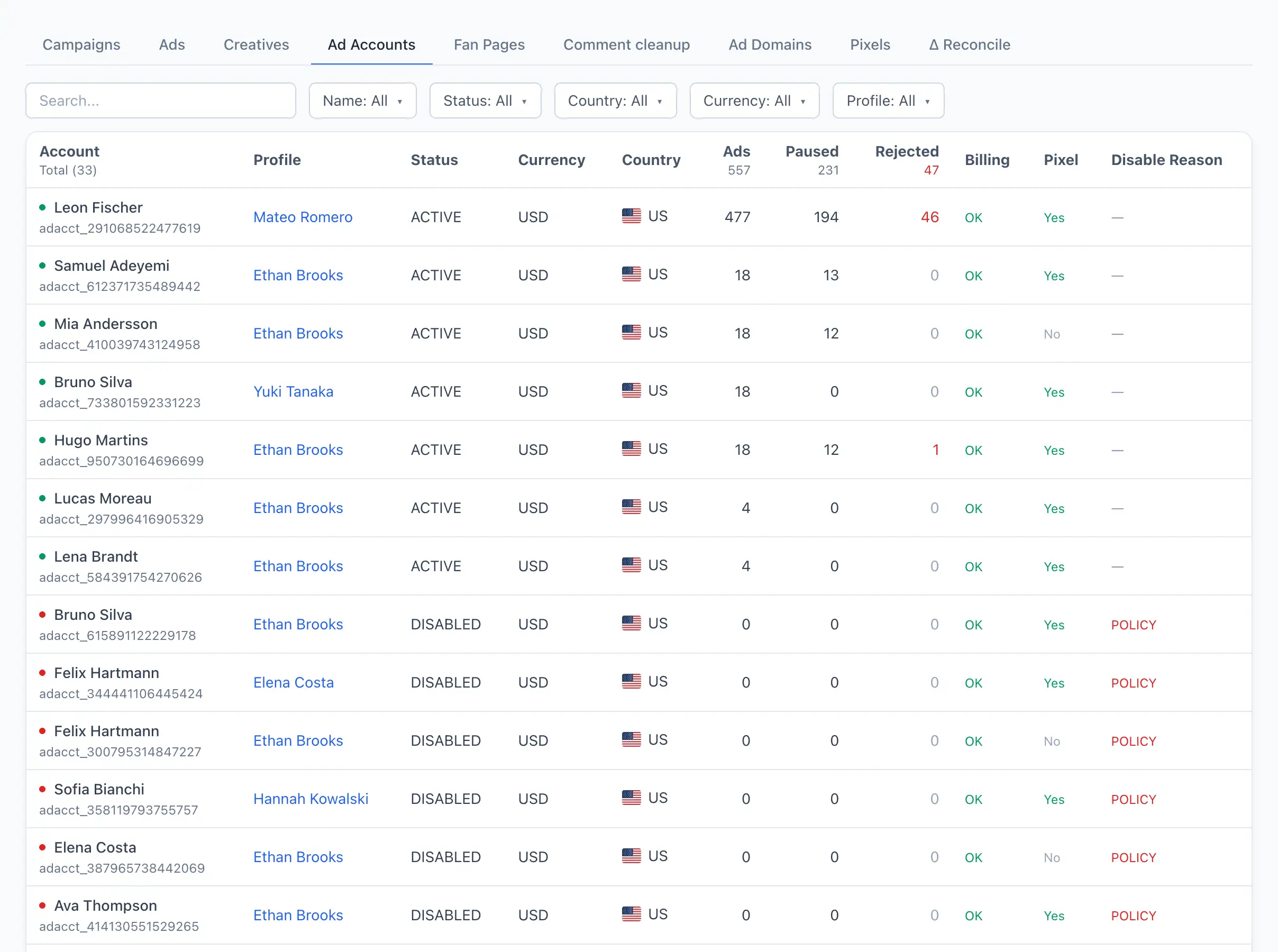
Account list
Each row is a single ad account. The coloured dot to the left of the name shows the state: green — active, red — blocked, yellow — other.
Columns:
- Account — the name and ID of the ad account.
- Profile — the browser profile the account is linked to. Clicking it opens the profile card.
- Status — the account's current status in Facebook.
- Currency — the account currency.
- Country — the flag of the account's country.
- Ads — the total number of ads; the green number in brackets shows how many of them are active.
- Paused — the number of paused ads.
- Rejected — how many ads Facebook rejected (in red if greater than zero).
- Billing —
OK, or Hold if there is a payment problem. - Pixel — whether a pixel is linked to the account.
- Disable Reason — the reason text if the account is blocked.
Search works by account name. Filters are available by name, status, country, currency and profile.
Account card
Clicking a row opens the account card.
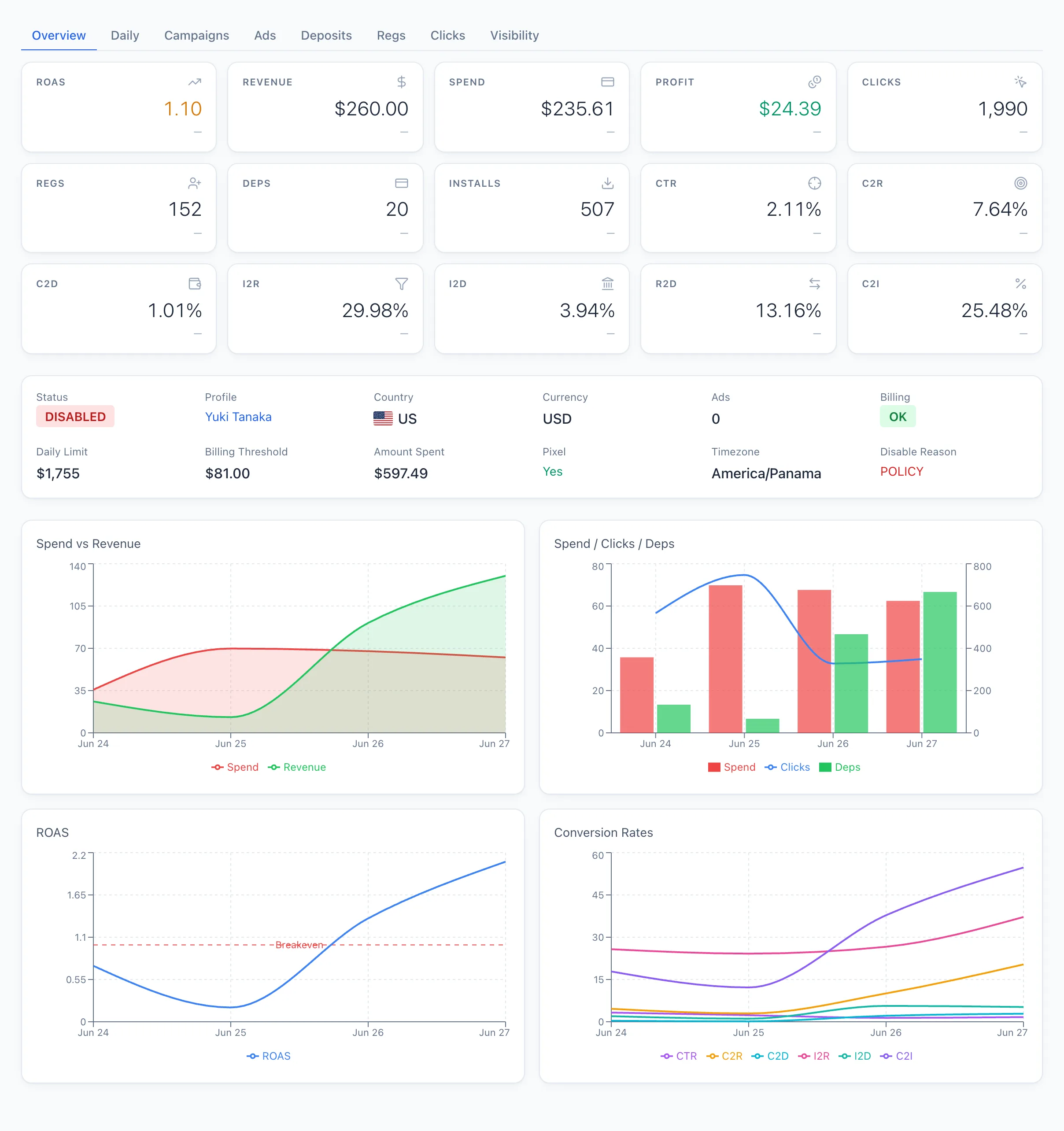
At the top is a block with the key data: Status, Profile, Country, Currency, Ads, Billing, and (if set) Daily Limit, Billing Threshold, Amount Spent, Pixel, Timezone and Disable Reason.
If the account is on Hold, its ads will not run. Clear the outstanding balance in Facebook first, otherwise the campaigns will stay paused.
Below are tabs with metrics for the selected period:
- By Day — a chart of metrics by day.
- Campaigns — the campaigns of this account.
- Ads — the ads of this account.
- Deposits, Regs, Clicks — conversions broken down by offer.
- Visibility — which browser profiles can manage this account and which buyers are assigned to them. Used to understand who sees the account and why a profile lost access to it.
A green dot on the Visibility tab means the profile is currently in use (taking part in auto-parsing); a grey one means it is frozen.