Ad campaigns
The Campaigns tab is the main list of Facebook ad campaigns with metrics for the selected period. From here you can drill into any campaign card, pause it or resume it.
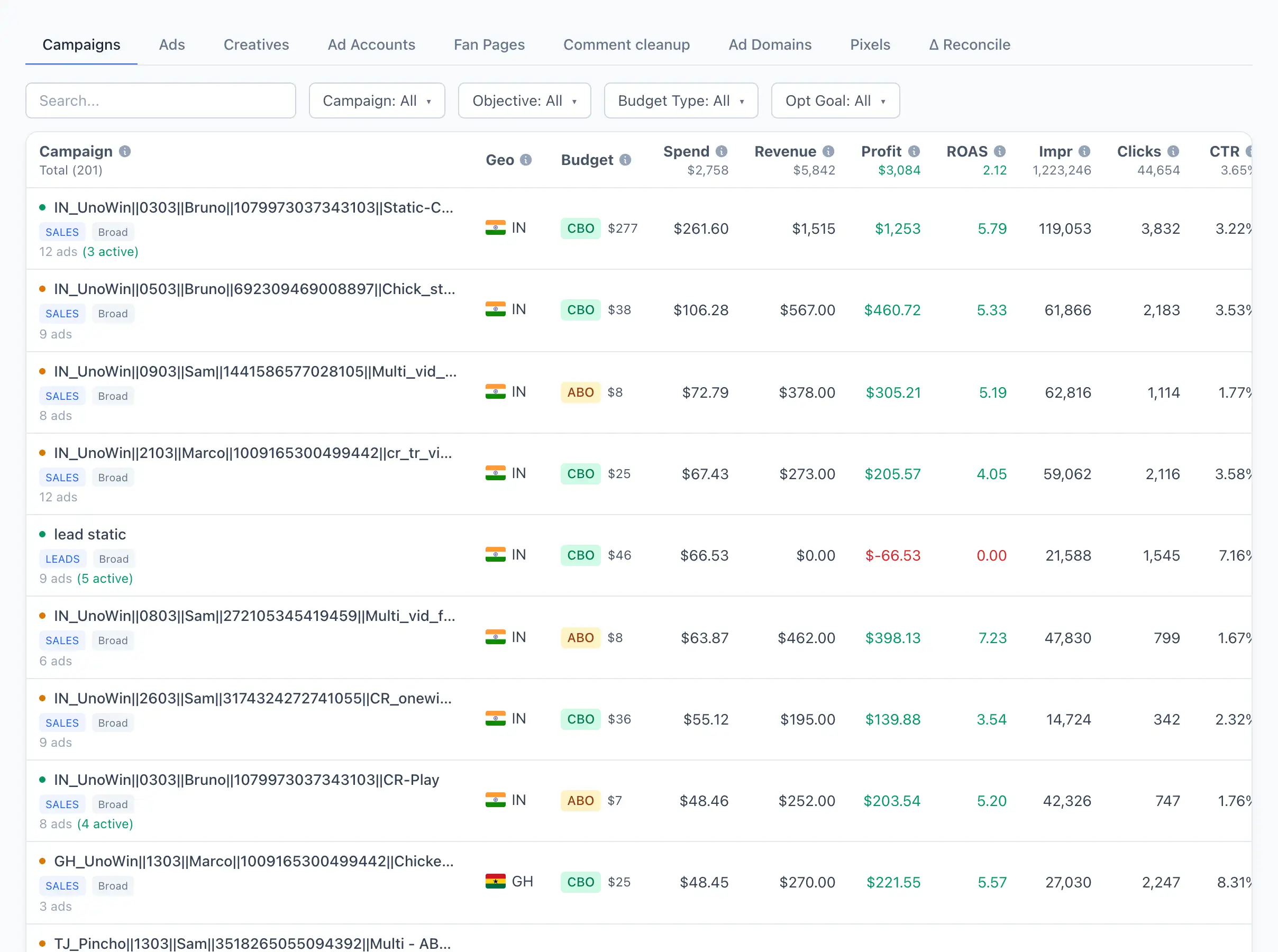
Campaign list
Each row is a single campaign with its metrics (spend, revenue, ROAS and so on) for the period selected at the top of the page. Clicking a row opens the campaign card.
Search works by campaign name. The following filters are available:
- Campaign — by name.
- Objective — by the campaign objective in Facebook.
- Budget Type — CBO or ABO.
- Opt Goal — by optimization goal.
If a yellow banner about an ownership collision appears above the list, Qubix could not unambiguously determine the buyer for some of the campaigns. Click the banner to see those campaigns, then assign an owner manually or add a name pattern.
Campaign card
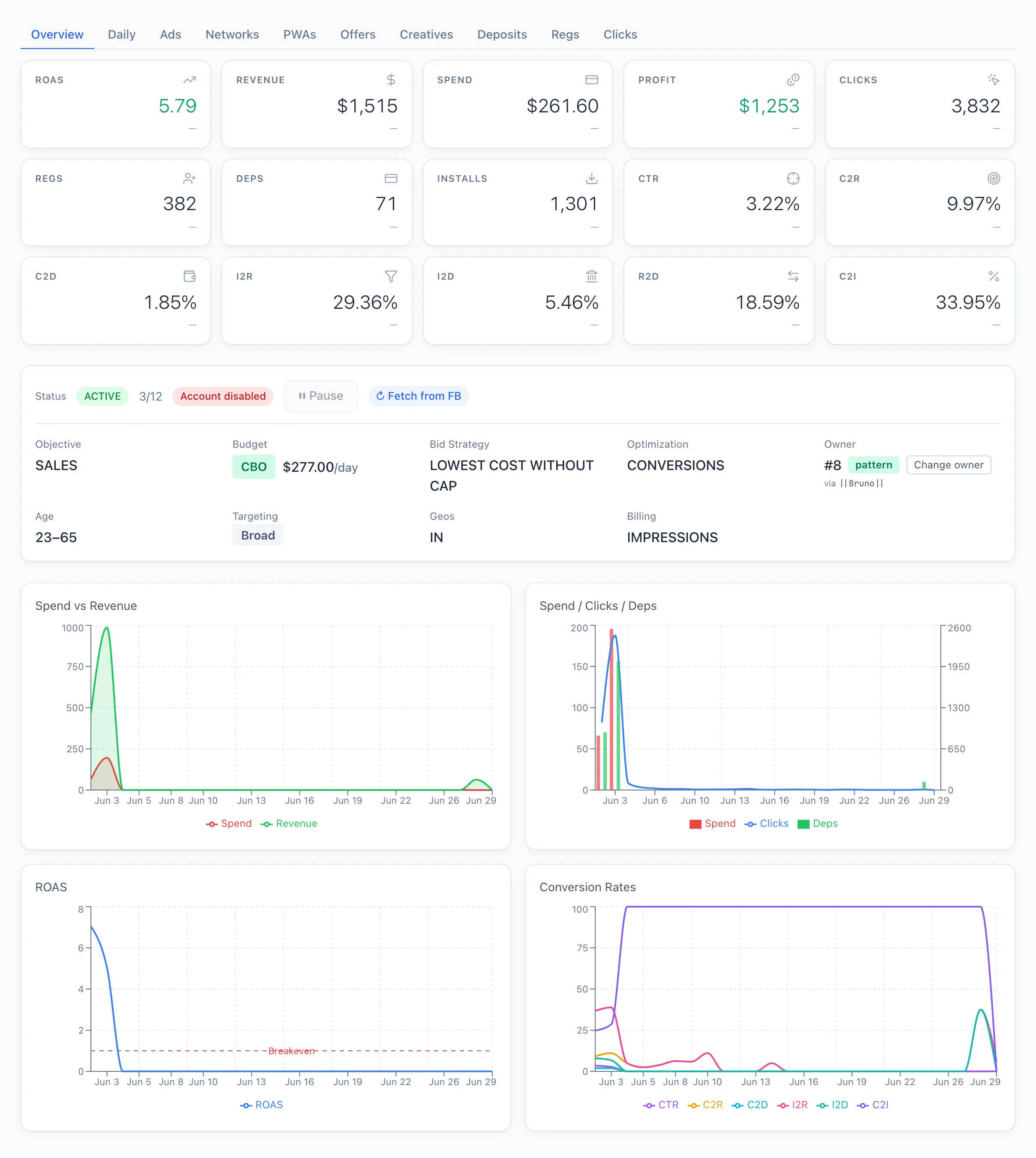
At the top of the card is a status line with control buttons:
- Status — the current state (active / paused) and a counter of active ads out of the total.
- ⏸ Pause / ▶ Resume — changes the campaign status directly in Facebook.
- ↻ Fetch from FB — requests the current campaign status from Facebook.
If the ad account is blocked, a red mark appears next to the status and the pause/resume button becomes inactive — Facebook will not allow the campaign to be managed. Sort out the account first.
Below are the main campaign parameters: Objective, Budget (CBO/ABO type and amount), Bid Strategy, Optimization, Owner, Age, Targeting (by interests or broad), Geos and, if set, Billing.
Tabs with metrics for the period:
- Daily — a chart by day.
- Ads — the campaign's ads.
- Networks — a breakdown by networks.
- PWAs — linked PWA apps.
- Offers — a breakdown by offers.
- Creatives — the campaign's creatives.
- Deposits, Regs, Clicks — conversions for the period.