Ad Domains
The Ad Domains tab in the Facebook section shows all the domains that appear in your ads: which campaigns lead to them, who the owner is and how many ads are active. This helps you see which domains are in use and which are no longer used.
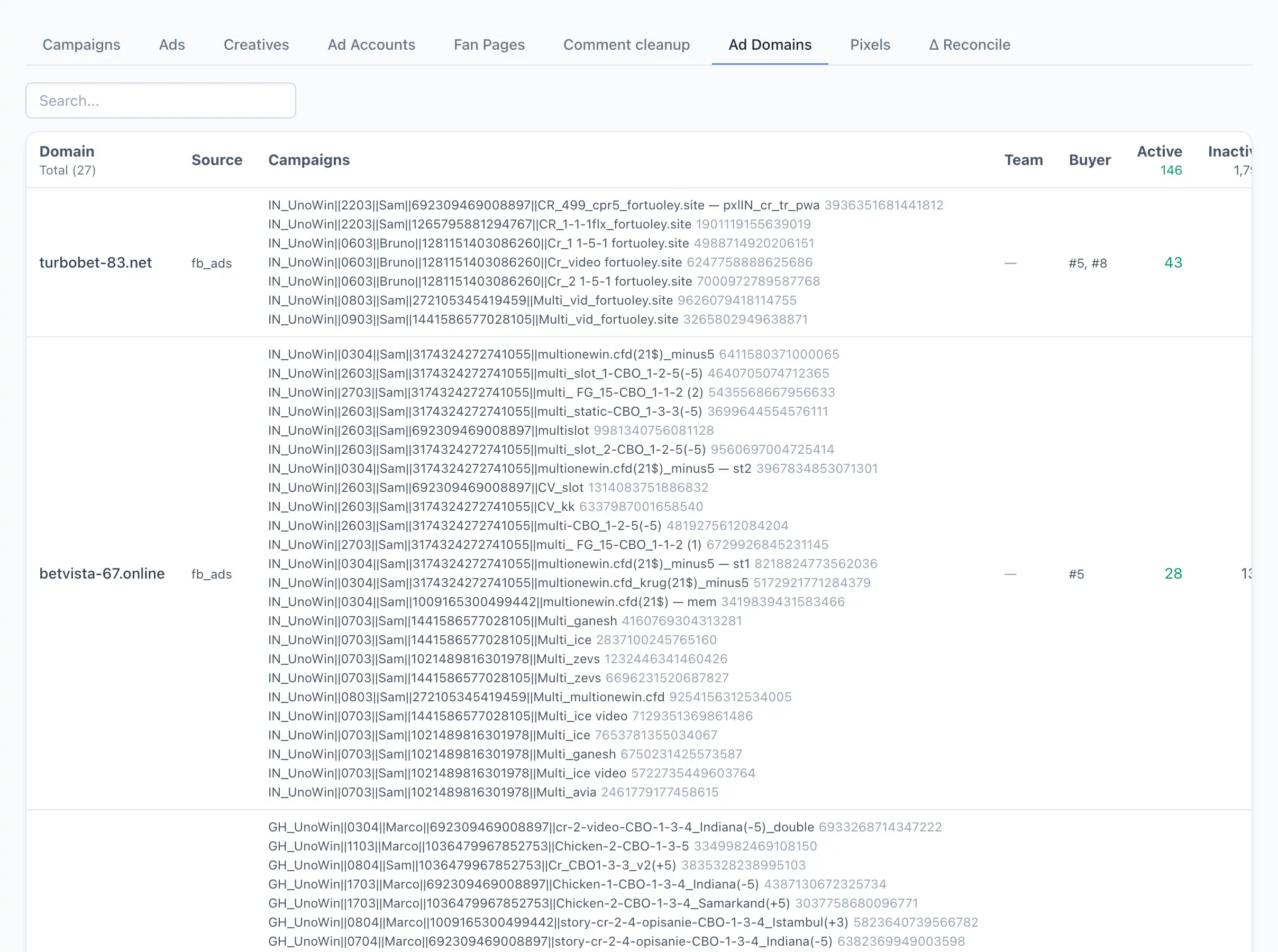
Column breakdown
Domain — the address of the site the ad leads to.
Source — where the domain came into the system from.
Campaigns — the list of campaigns using the domain. Next to the name is the campaign ID; clicking the ID opens the campaign card.
Team — the owner team.
Buyer — the owner buyer.
Active — how many ads with this domain are currently active.
Inactive — how many are stopped.
Total — the total number of ads with the domain.
Profiles — the antidetect browsers in which the domain appeared.
The list can be filtered by the search field (by domain) and sorted by the number of active, inactive and total ads — that's a quick way to find "dead" domains with no active advertising.