Ads
The Ads tab is the report on individual Facebook ads: every ad with its metrics for the selected period, a quick pause/resume control, and a detailed card for each ad.
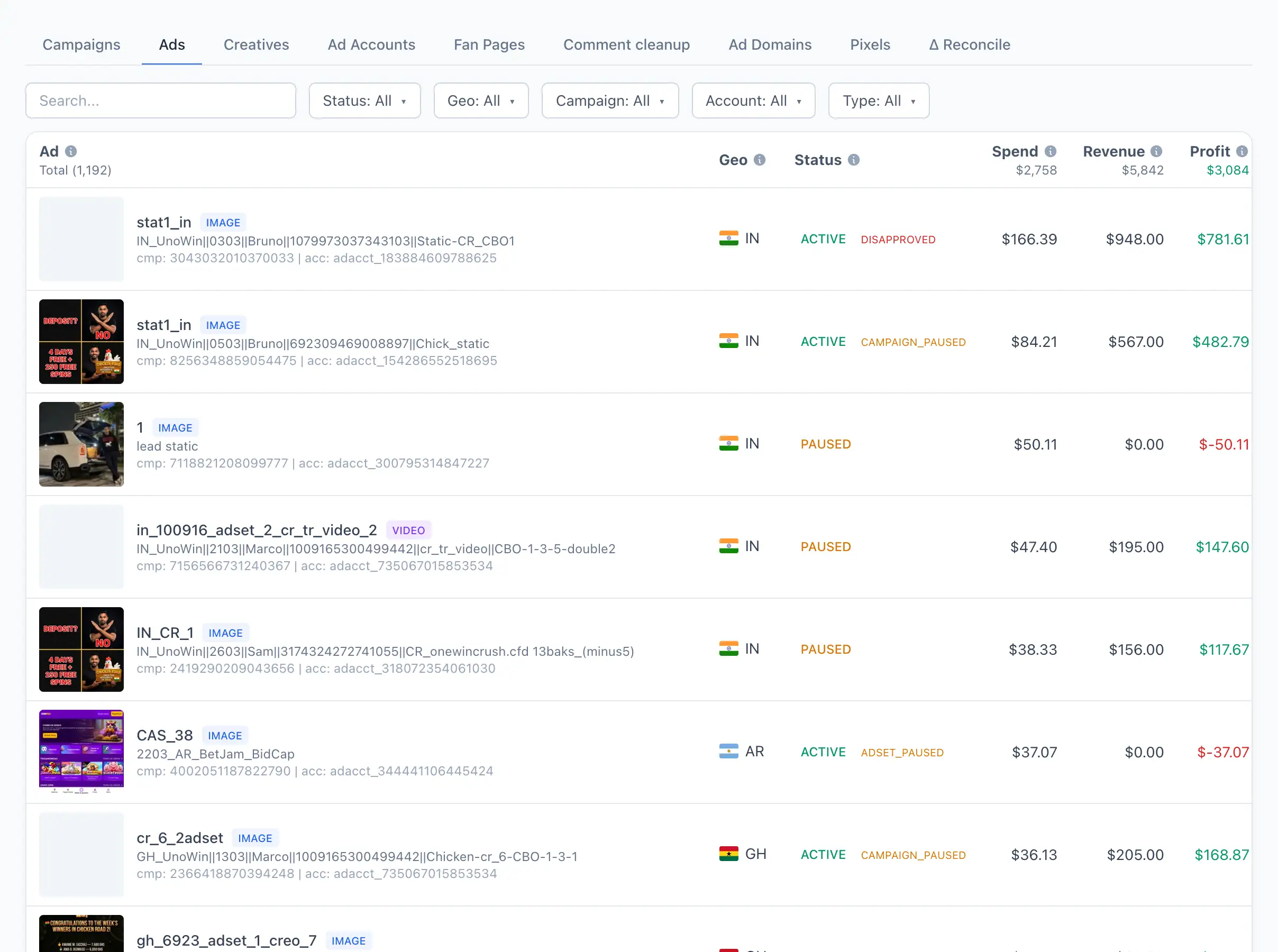
Ad list
The table shows every ad with its status and metrics (spend, revenue, profit, ROAS, CTR, registrations, deposits and so on) for the period selected at the top of the page.
Search works by ad name and by ad ID — pasting a visible ID finds the ad directly.
The following filters are available:
- Status — by the ad's effective status.
- Geo — by country.
- Campaign — by campaign.
- Account — by ad account.
- Type — media type (image, video, carousel).
The status cell is also a button. For an active ad it shows the current status; clicking it opens a small dialog with an optional reason and pauses the ad. For a paused ad, clicking resumes it right away. When the effective status differs from the set status (for example the ad is paused at the campaign level), the effective value is shown next to it.
After you pause or resume an ad the new status appears at once, but the underlying report data refreshes on a delay of a few minutes — the row keeps showing your applied status until it catches up.
Clicking a row opens the ad card.
Ad card
At the top are KPI cards and a chart for the period, then an information panel, and below them tabs with the funnel breakdown.
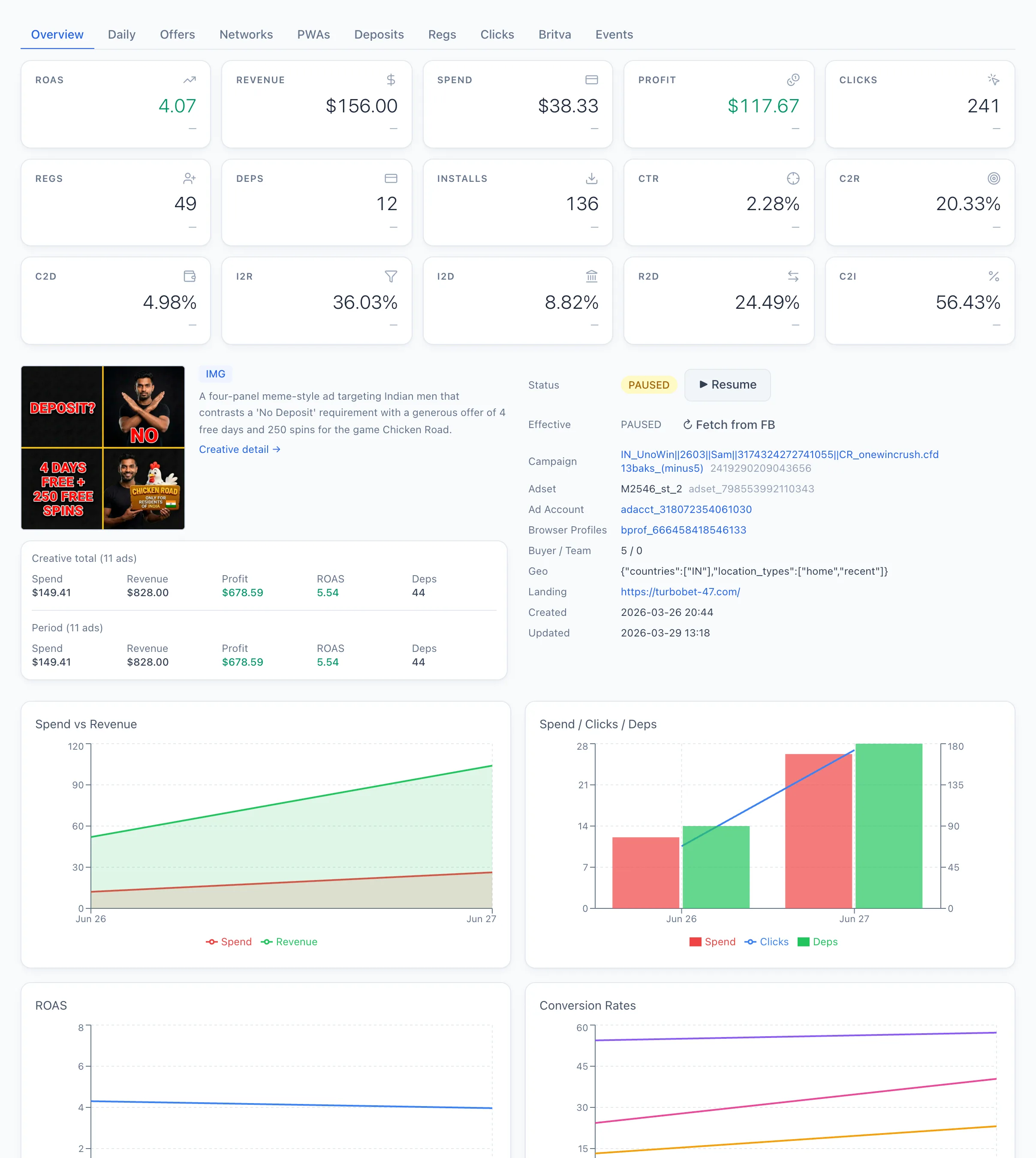
Creative and stats
On the left is the ad's creative: an image is shown right away; a video loads when you click the preview. A media-type badge marks whether it is an image, video or carousel, and a short AI description is shown when available. The Creative detail → link opens the creative card.
Under the creative is a summary of that creative's results — both its all-time totals and the figures for the selected period — with spend, revenue, profit, ROAS and deposits.
Information panel
The panel lists the ad's properties:
- Status — the set status, with a ⏸ Pause / ▶ Resume button.
- Effective — the effective status. The ↻ Fetch from FB button re-reads it directly from Facebook.
- Campaign, Adset, Ad Account — links to the related objects.
- Browser Profiles — the browser profiles this ad was parsed through.
- Buyer / Team, geo, landing URL, and the creation and update dates.
Below the panel is the Status history — a log of status changes with time, the old and new value, the source of the change, a comment, and the buyer and team.
Tabs
Below the card are tabs with the breakdown for the period:
- Offers, Networks, PWAs — the ad's offers, networks and PWAs.
- Deposits, Regs, Clicks — the raw funnel events.
- Britva — the active automated-rule holds on this ad. See How automated rules work.
- Events — the ad's event history.