The Facebook section brings together in one place everything Qubix knows about your Facebook ad campaigns: accounts, campaigns, ads, creatives, fan pages and pixels. The data is pulled in automatically from your browser profiles, so you see the advertising here without opening Ads Manager itself.
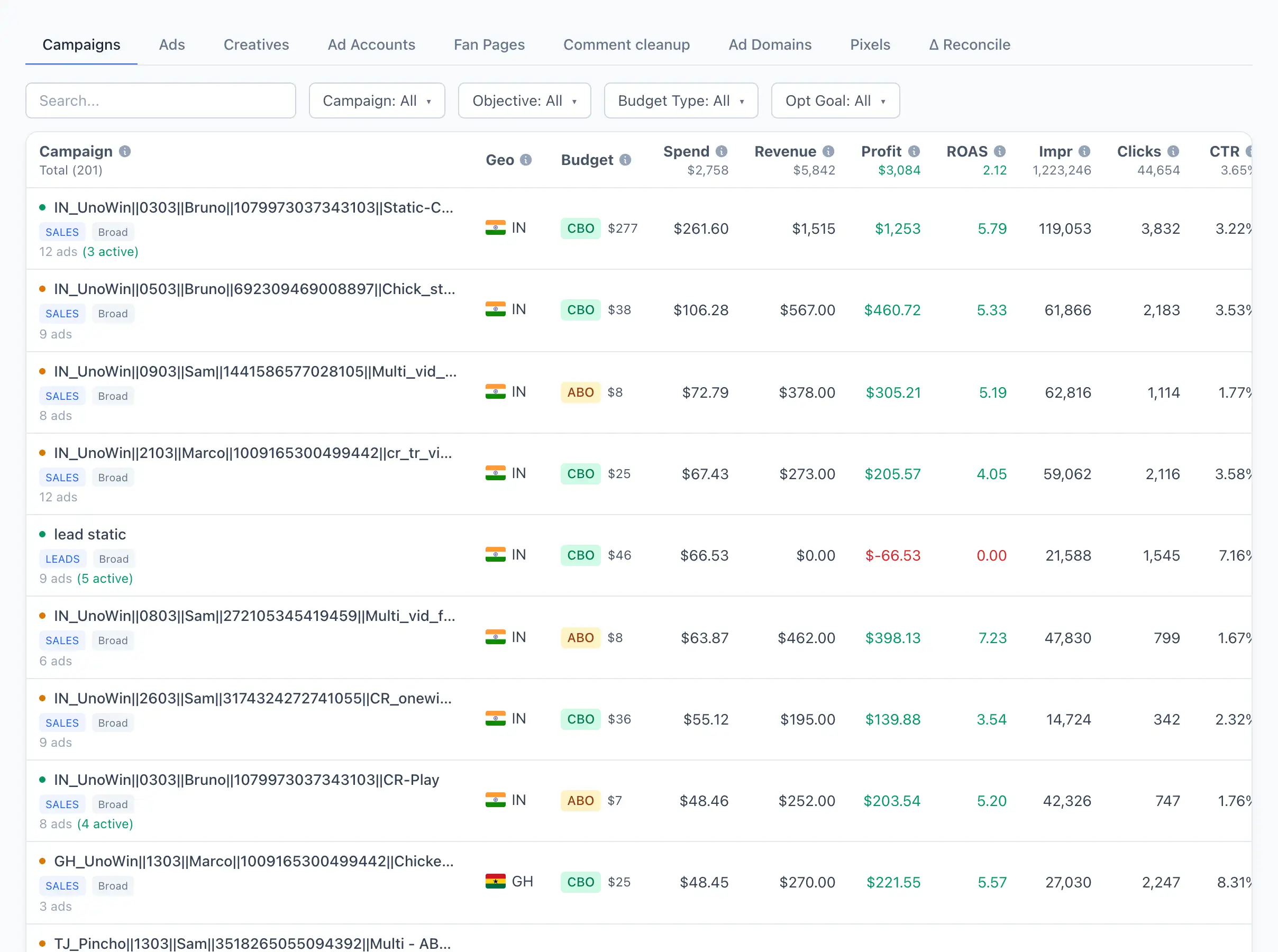
Section tabs
At the top of the section there is a tab switcher. The active tab is remembered in the page address, so you can save the link or send it to a colleague.
- Campaigns — a list of ad campaigns with metrics for the selected period. See Ad campaigns for details.
- Ads — a list of all ads. See Ads for details.
- Creatives — banners and videos with AI tagging. See Creatives for details.
- Ad Accounts — ad accounts, their status and billing. See Ad Accounts for details.
- Fan Pages — Facebook pages the advertising runs from. See Fan Pages for details.
- Comment cleanup — auto-removal of comments under posts and creatives. See Comment cleanup for details.
- Ad Domains — domains that appear in your ads. See Ad Domains for details.
- Pixels — Facebook pixels and their tokens. See Pixels for details.
- Reconcile — reconciliation of registrations and deposits between Facebook and the tracker. See Δ Reconcile for details.
All tabs except the reference ones (accounts, pixels, domains) count metrics for the period selected at the top of the page. If the figures look empty, check the selected date range.
Where the data comes from
Qubix collects campaigns, accounts, creatives and pages itself through your browser profiles. If there is no data for some account, check that parsing is set up for the profile. See FB parser for details.