What is Qubix
Qubix is the entire Facebook media-buying stack on one server you control: a tracker and funnel, JavaScript automation rules, a PWA store builder, push notifications, domains, the Facebook parser and Conversions API, and an AI assistant — all in a single admin panel. Instead of stitching together a tracker, a cloaking service, a PWA builder and a push platform from different vendors, you run them as one product.
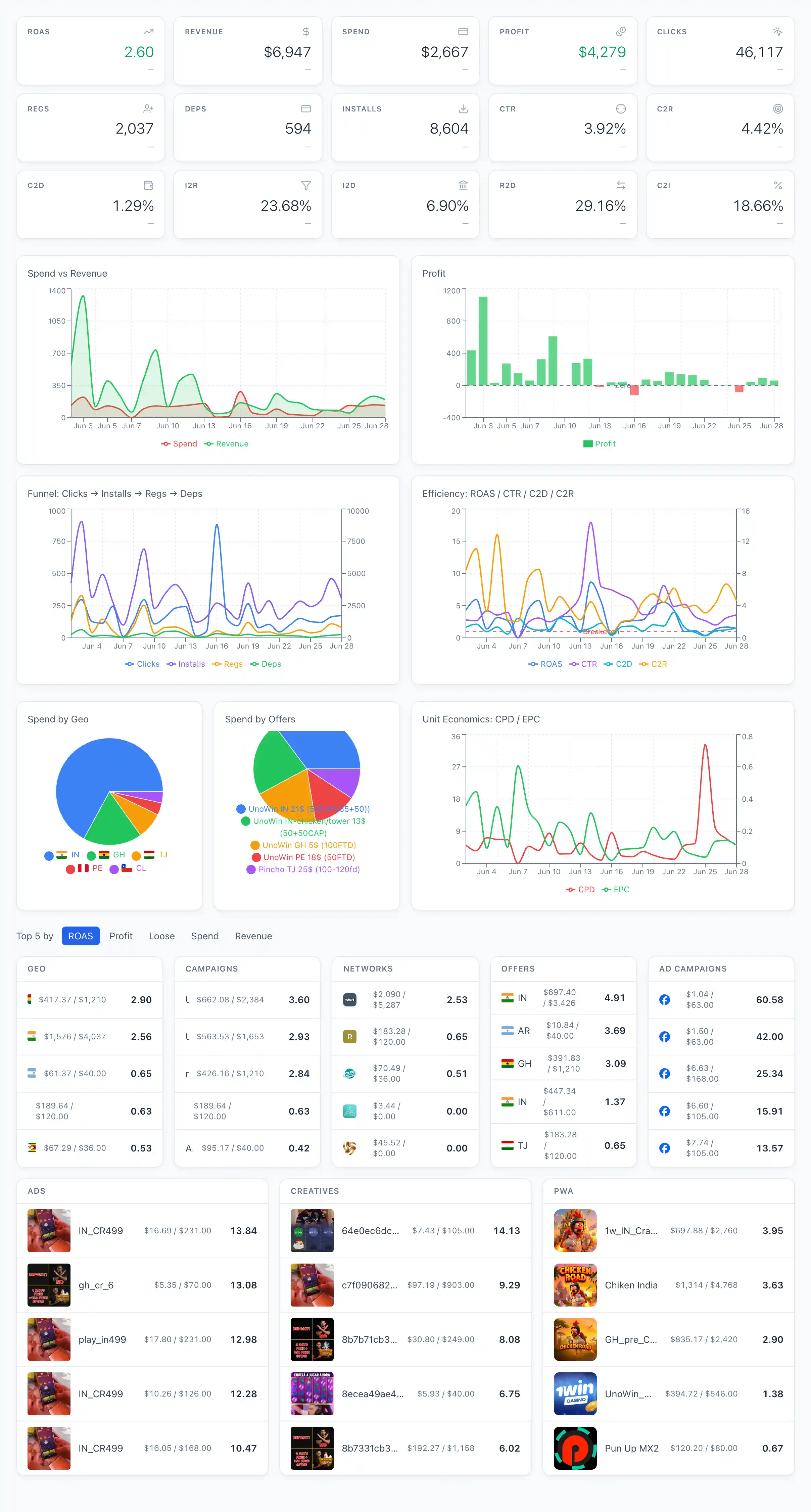
Who it is for
- Buyers — run campaigns, build PWAs and landings, drive traffic and watch the funnel from click to deposit, with their own ads and rules.
- Team leads — manage their team: see what the team launched, run shared automation rules and PWAs, and split access.
- Affiliate teams — work together under one install, where each person sees only what their role allows.
What it is made of
The admin menu mirrors the subsystems. The main ones:
- Tracker and funnel — distribute traffic across destinations and read it from click to deposit. See Flows and distribution and Funnel.
- Automation rules (Britva) — small JavaScript rules that pause or resume ads by your conditions. See How auto-rules work.
- Scripts — free-form background programs over the same data and an SDK. See Scripts.
- PWA and landings — build a store-style PWA and host whitepages, prelandings and landings. See Creating a PWA and Websites.
- Push — broadcasts to PWA subscribers, with AI texts and images. See Creating a push campaign.
- Domains — register and set up domains through Cloudflare. See Domains.
- Facebook — parse ad accounts, campaigns and ads, send conversions back via CAPI. See Facebook.
- AI — an analyst chat over your data and content generation. See AI.
- Teams and roles — group users and decide who sees and can do what. See Templates.
Everything on your own server (on-premise)
Qubix is installed on your own server, and all the data — clicks, conversions, creatives, rules, domains — lives there, not in someone else's cloud. You hold the keys to the third-party services (Facebook, Cloudflare, OpenRouter and so on) and connect them yourself in Connections. Unlike a SaaS tracker, there is no shared multi-tenant backend: the install is yours, and access inside it is governed by roles.