Network finances
The Finances tab in the Networks section shows a financial summary across all affiliate networks, grouped by month. It shows how much each network paid out and how much was spent on it.
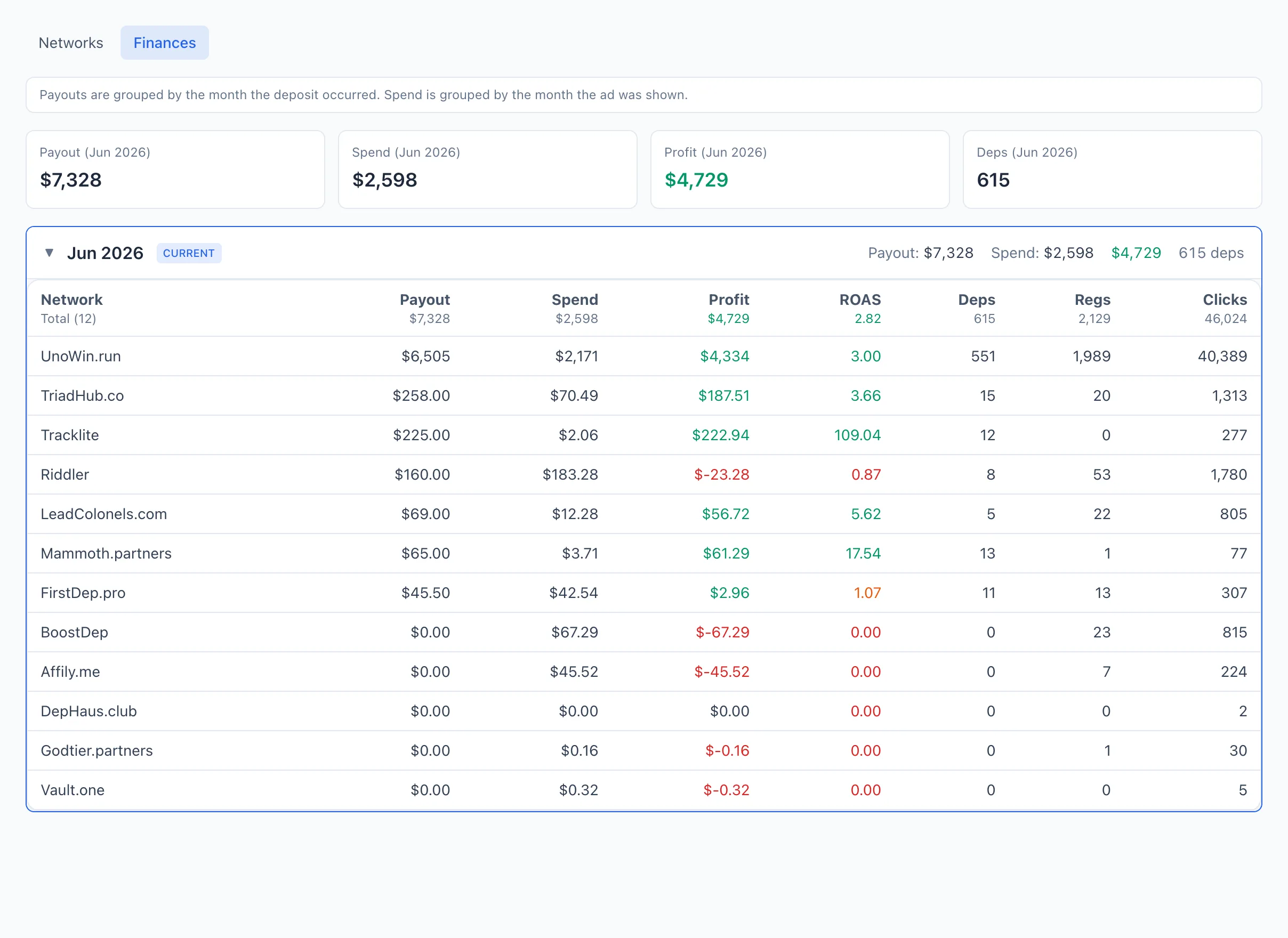
Payouts belong to the month the deposit was made. Spend belongs to the month the ad was running. That's why the payout and the spend for the same bundle can fall into different months.
Current-month metrics
At the top — four tiles with the totals for the current month:
- Payout — the sum of payouts from all networks for the month.
- Spend — the total spend for the month.
- Profit — payout minus spend; green when positive, red when negative.
- Deps — the number of deposits for the month.
By-month summary
Below — a list of months as collapsible blocks (newest on top). The current month is highlighted with a frame and a CURRENT label and is expanded by default. The header of each block immediately shows the month's totals: payout, spend, profit and the number of deps. Click a month row to expand or collapse its table.
Month table columns
Inside an expanded month — a table by network:
- Network — the network name; clicking a row opens its card.
- Payout — income (payouts) from the network for the month.
- Spend — the spend for the month.
- Profit — payout minus spend.
- ROAS — payback.
- Deposits, Registrations, Clicks — conversions and clicks for the month.
Columns are sorted by clicking the header; totals are shown at the bottom. A breakdown of the metrics — see the Metrics reference.