Content and log
The push campaign card has three tabs. The Overview tab is covered in Segments and Scheduling. Here are the remaining two — Content and Log — plus the send metrics, which live in the campaign list rather than on a tab.
Content
The notification content per language: Title, Body, Icon, and Banner for each language, plus AI translation and AI generation. The full breakdown is in the Localization and AI article.
Send metrics
The send results are not a tab in the card — they are columns in the campaign list (the Push section). Each campaign row shows:
- Targets — how many subscribers fell into the audience.
- Sent — how many notifications went out.
- Delivered — how many reached devices.
- Clicks — how many subscribers clicked the notification.
- CTR / DR — click-through rate (clicks to sent) and delivery rate (delivered to sent), as percentages.
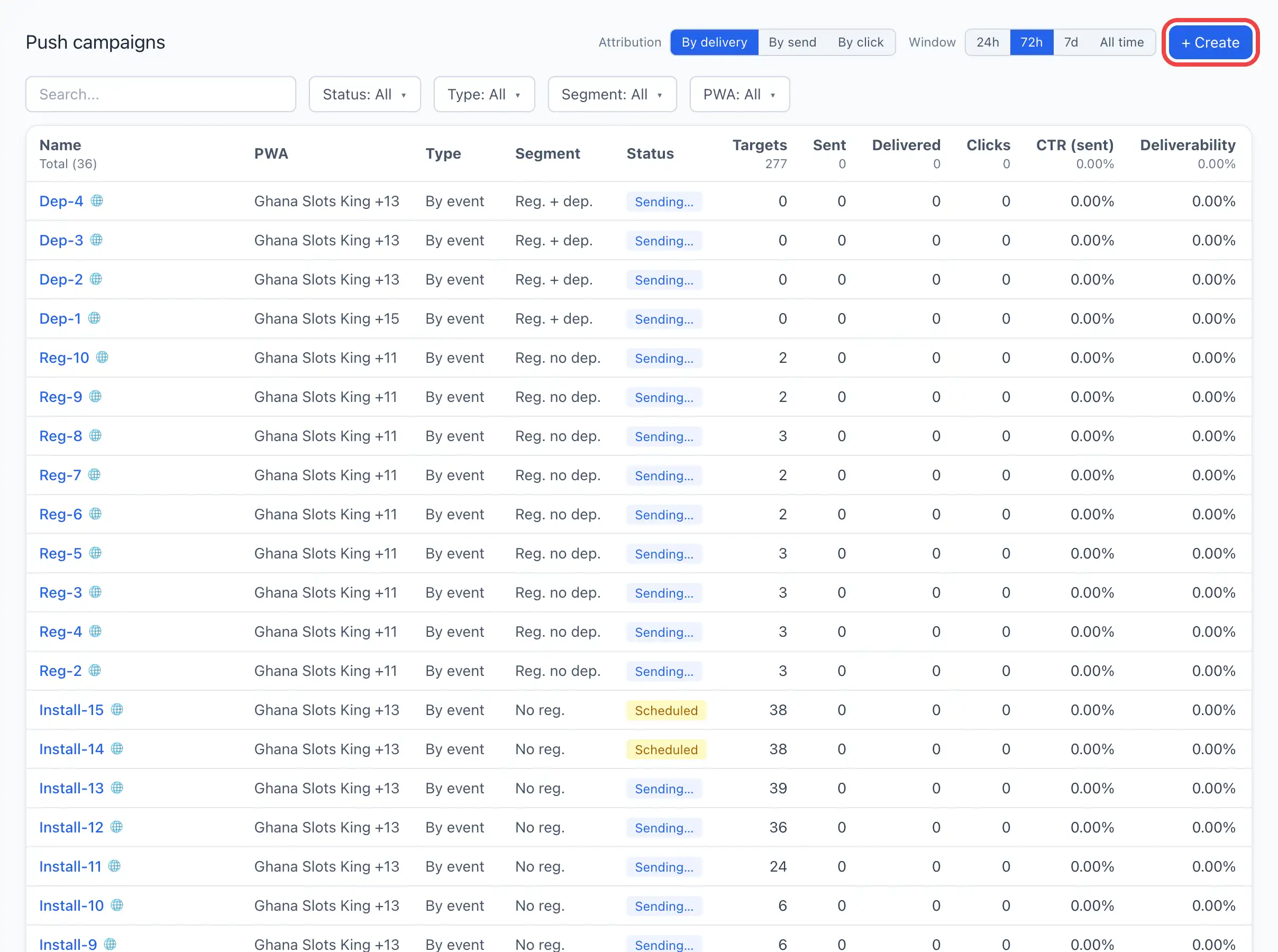
For a per-notification breakdown of what actually happened to each send, open the campaign and switch to the Log tab.
Log
A line-by-line journal of send events — exactly what happened to each notification. At the top — a filter by event type (All events or a specific type) and a record counter.
Table columns:
- Time — when the event occurred.
- Event — the type (for example send, delivery, click).
- Message — the message identifier.
- Subscription — the subscriber identifier.
- Title / Body — the notification text that went out.
- HTTP — the delivery service's response code.
- Error — the error text, if the send failed.
If the CTR or delivery rate in the campaign list is lower than expected, open the Log and filter by an error event: the HTTP and Error columns show exactly what went wrong.