Segments
The broadcast audience is set by the Filters on the Overview tab. All filters work together (they narrow the selection), and the resulting audience size is recalculated immediately in the Audience panel on the right.
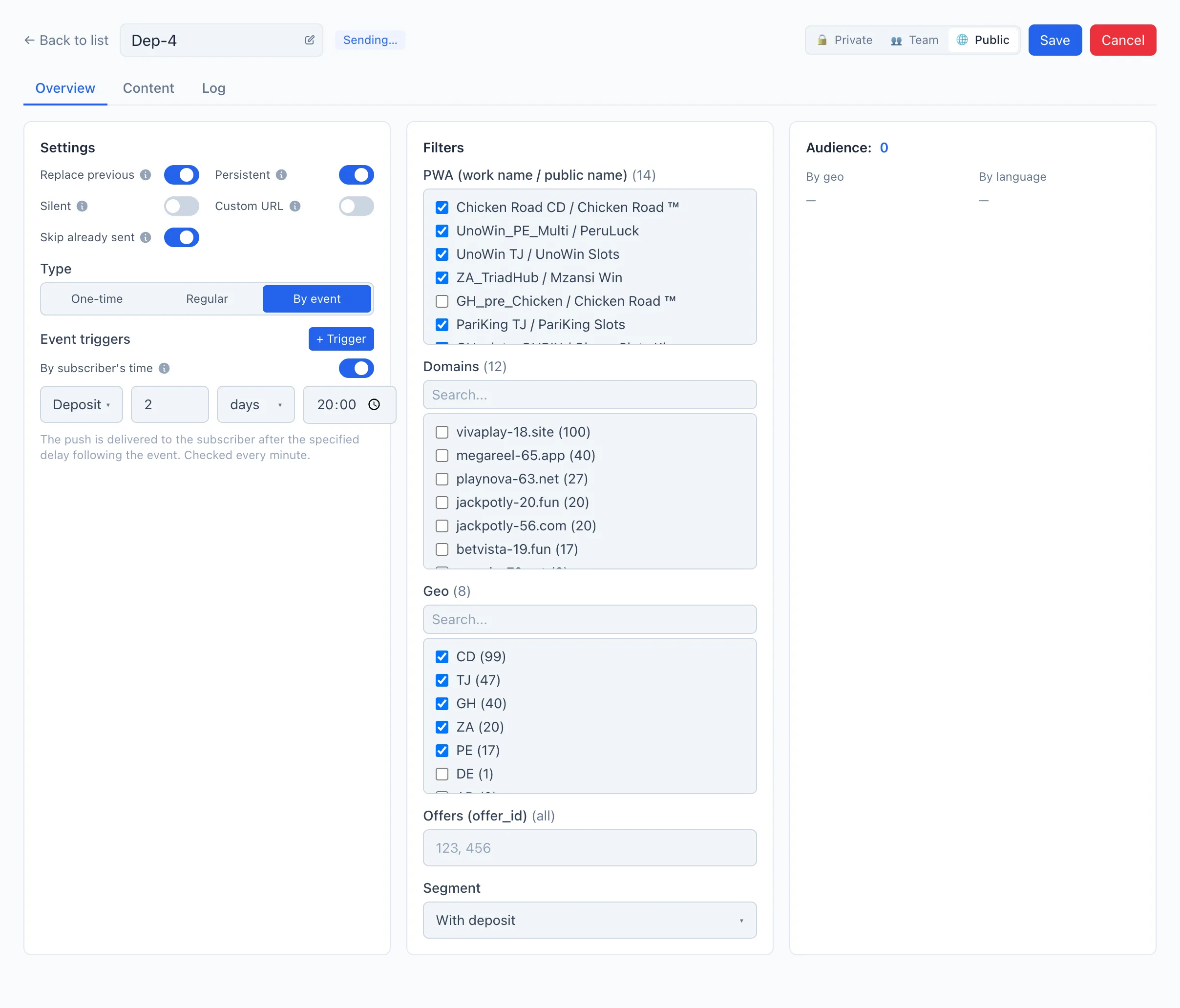
Filter breakdown
PWA (work name / public name) — the list of your apps. Check one or more to send only to their subscribers. If none are selected, the push goes to the subscribers of all PWAs.
Domains — the domains users subscribed through. The number of subscribers is shown in parentheses next to each domain. Empty — all domains.
Geo — the subscribers' countries (the number of subscribers for each is in parentheses). Empty — all countries.
Offers (offer_id) — a comma-separated list of offer identifiers (for example 123, 456). Limits the audience to subscribers who came from these offers. Empty — all offers.
Segment — the subscriber's funnel stage:
- All subscribers — no restriction by stage.
- Not converted — subscribed but has neither a registration nor a deposit.
- Registered, no deposit — registered but did not deposit.
- With deposit — deposited.
An empty filter always means «all». Next to each filter, the parentheses show how many values are selected (or «all») — this helps you not forget an active restriction.
Audience size
The Audience panel shows how many subscribers fall under the current filters. The number updates automatically on any filter change — even before saving and sending.
Below the number — two breakdowns:
- By geo — the audience distribution by country.
- By language — the distribution by the subscribers' languages.
The language breakdown hints at which languages you should prepare texts for on the Content tab.