Connections
This is where the keys and credentials for the external services Qubix uses are stored: a Telegram bot for notifications, Cloudflare and Namecheap for working with domains, OpenRouter for AI features, and VirusTotal for checking domains. The screen is split into tabs: Telegram, Cloudflare, Namecheap, OpenRouter, VirusTotal.
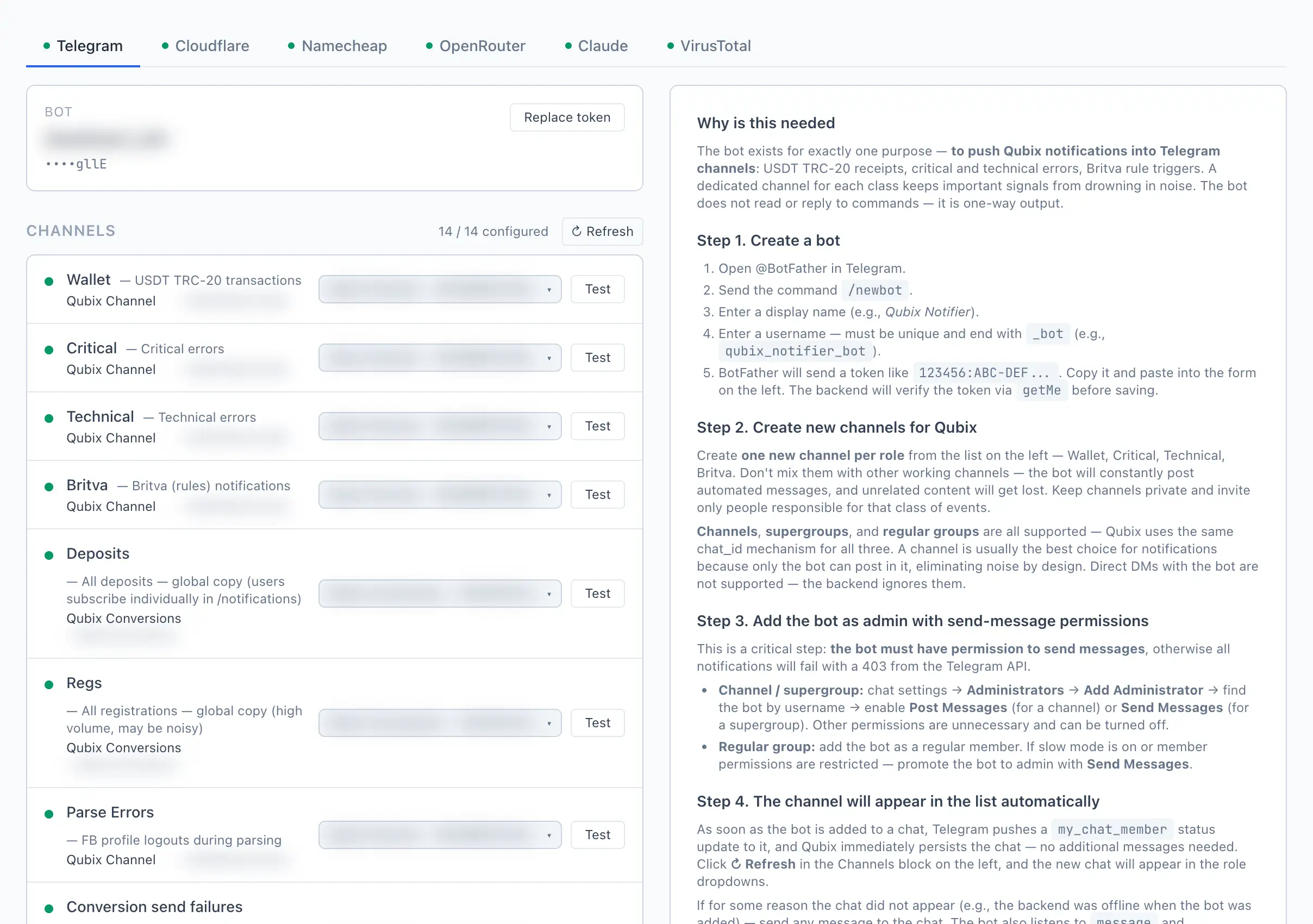
The dot to the left of a tab name shows its state: green — the connection is configured, red — something is missing. That way you can immediately see what is left to set up.
Telegram
This is where the administrator connects the Telegram bot through which Qubix sends notifications, and distributes the channels across roles. (A user's personal subscriptions are set up separately — see Notifications.)
How to connect the bot
- Create a bot: open @BotFather in Telegram, send
/newbot, set a name and a username (it must end with_bot). - Copy the token you receive and paste it into the field on the Telegram tab.
- Click Save token. Qubix will verify the token before saving.
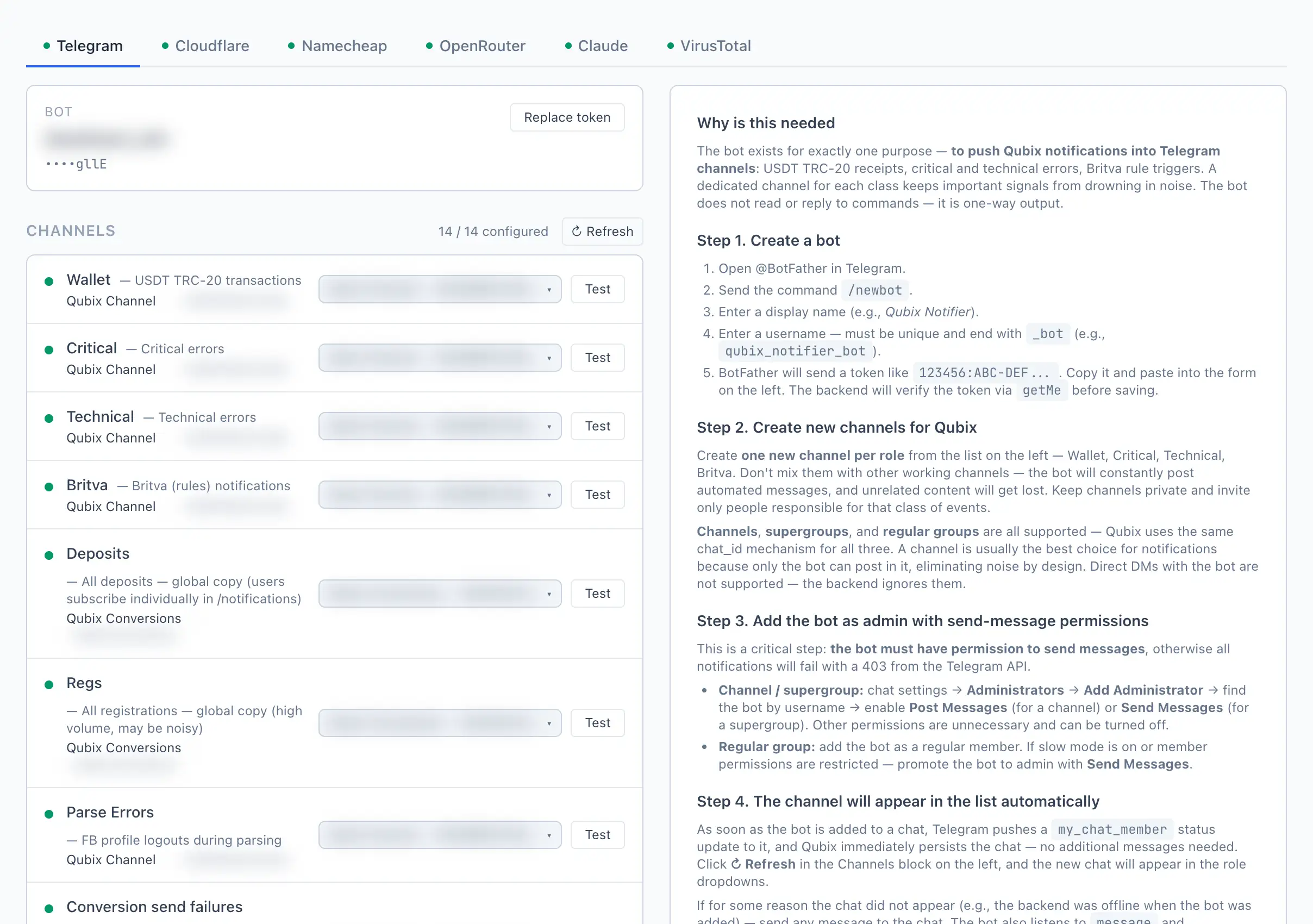
After saving, a bot card (with the name and a masked token) and a list of channel roles will appear. The Replace token… button lets you paste a new token without losing the channel bindings.
How to bind a channel to a role
- Create a separate private channel (or group) for the required class of notifications.
- Add the bot to that chat as an administrator with permission to send messages — otherwise the notifications will not arrive.
- Click Refresh in the Channels block — the new chat will appear in the dropdowns.
- Next to the required role, pick the chat from the list.
- Click Test in the role row — the bot will send a test message to the chat. If it arrives, the binding works.
The bot must have permission to send messages in the chat. If Test returns an error — almost always the reason is that the bot lacks this permission, or it was removed from the chat.
The same chat can be assigned to several roles at once. To free a chat, choose "— not assigned —" in its role.
Channel roles
- Wallet — USDT TRC-20 transactions.
- Critical — critical errors.
- Technical — technical errors.
- Britva — Britva rule triggers.
- Deposits — all deposits (a global copy; the user enables a personal subscription in Notifications).
- Regs — all registrations (high volume, may be noisy).
- Parse Errors — Facebook profile logouts during data collection.
- Conversion send failures — events (registrations, deposits) that failed to send to the ad platform (Facebook, TikTok, Google).
- VirusTotal — alerts for domains flagged as malicious.
- Cloudflare — audit log: a domain set up in Cloudflare.
- Namecheap — audit log: a domain registered on Namecheap.
- Unknown pixels — pixels seen in traffic that we cannot use. Three cases hide behind that, and the message says which one:
- the pixel has no access token filled in;
- there is no such pixel in the Pixels section;
- the value that arrived with the traffic is not a pixel at all.
- Postbacks without subid — partner postbacks with no click identifier (can't be matched to a visit).
- Comment cleanup — deleted comments under fan-page posts and under ads.
Conversion-error reminder window
Below the list of roles is the setting How often to repeat the alert. If conversion send failures come in a stream, Qubix does not spam identical messages: it sends one per the chosen period, and after that — a short "+N more" summary. Pick a period from the list: 1, 3, 6 or 12 h (default — 1 h).
Cloudflare
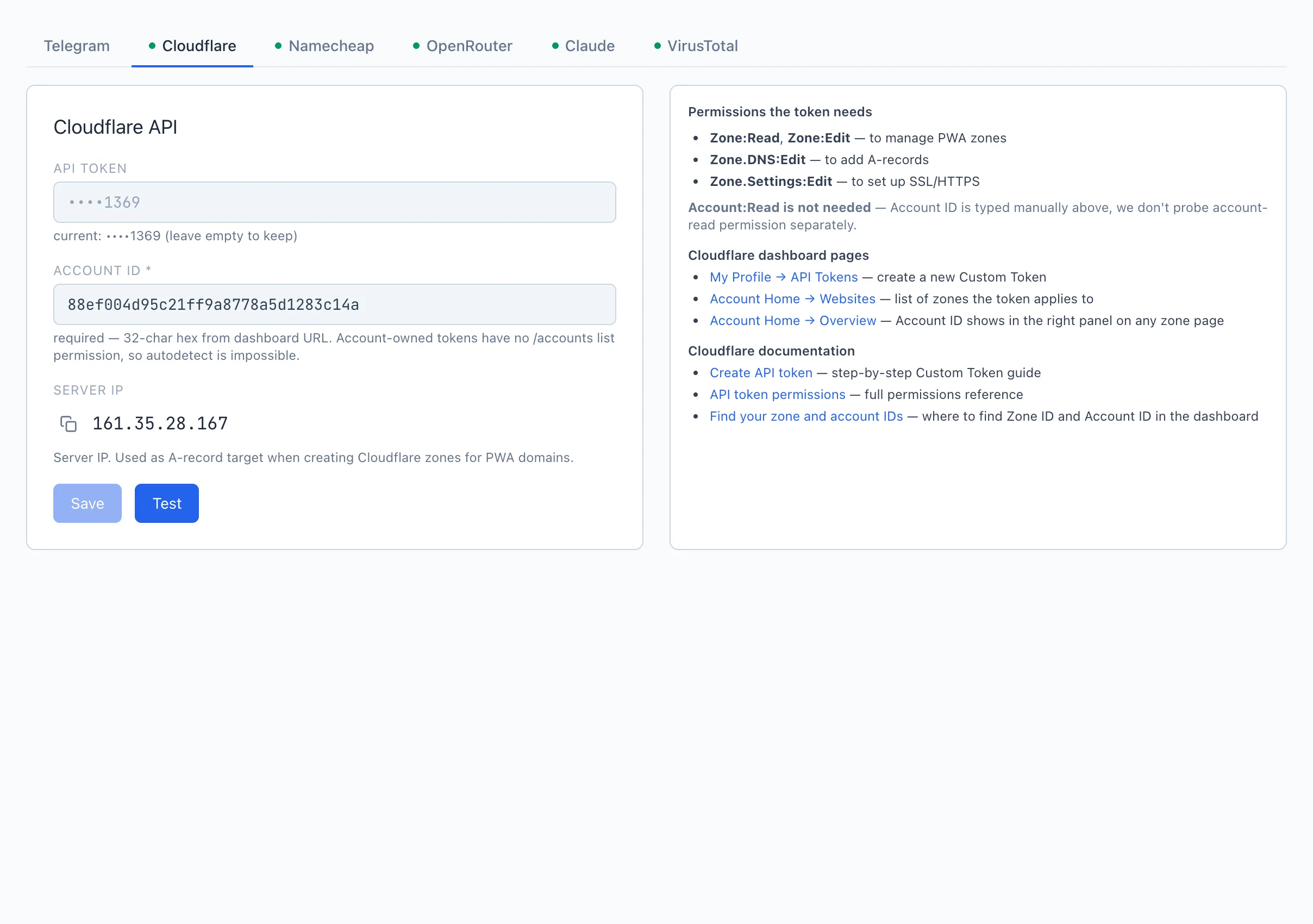
A Cloudflare API token for managing the zones of PWA domains. Paste the API Token and the Account ID * (a 32-char hex from the dashboard URL), and if needed copy the Server IP (it is put into the domains' A-records). The Test button saves what you entered and immediately checks that the token has enough permissions. The required token permissions: Zone:Read, Zone:Edit, Zone.DNS:Edit, Zone.Settings:Edit.
Namecheap
Access to Namecheap for registering domains and the WHOIS contact that is filled in during registration.
- First, add the Server IP to the Namecheap whitelist (the copy button next to the field) — without this the API does not work.
- Fill in the API User and the API Key, click Test.
- In the WHOIS Contact card, fill in all 9 fields (without them Namecheap will reject the registration) and, if you wish, enable publishing the contacts in WHOIS.
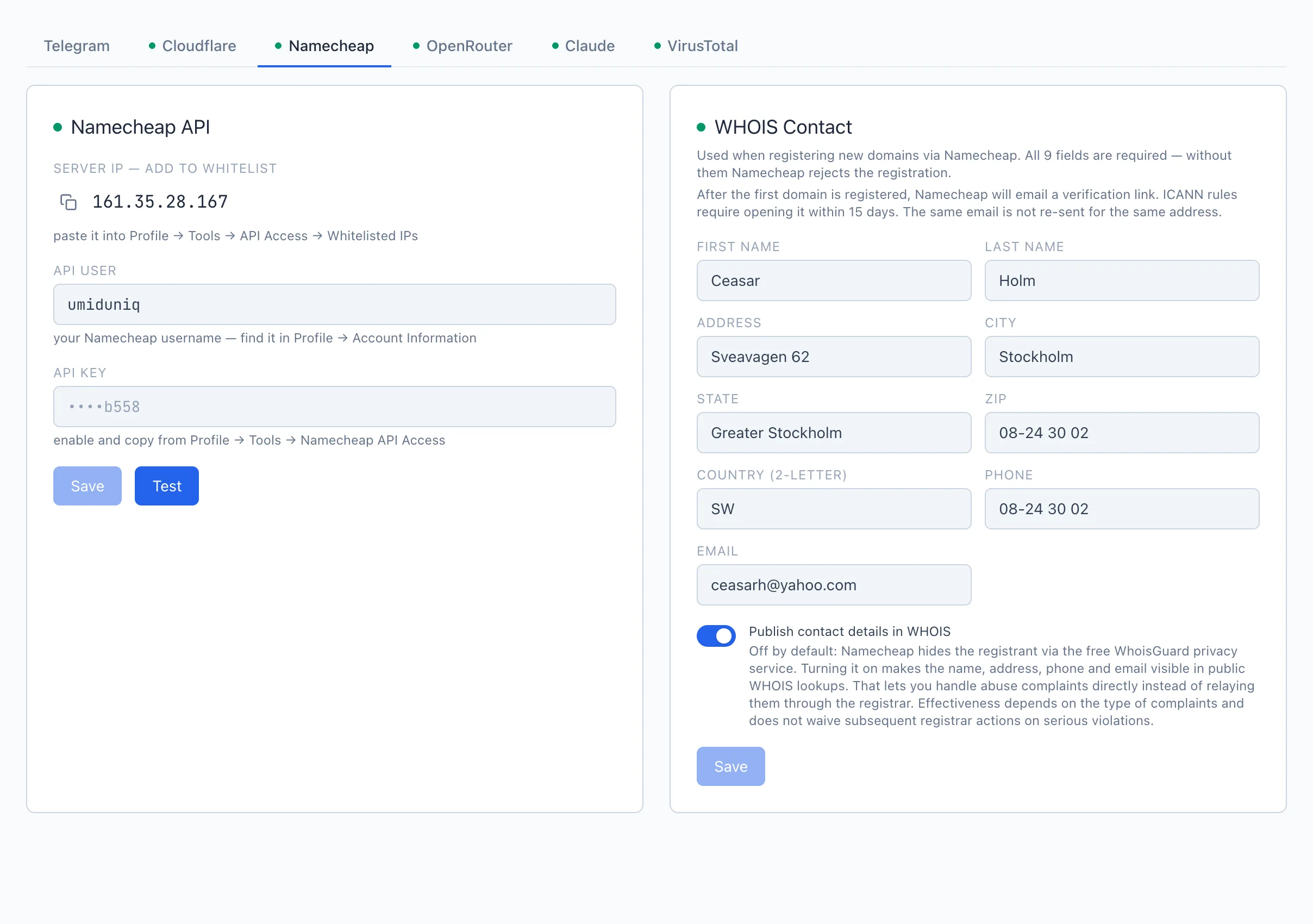
After the first domain is registered, Namecheap will email a verification link to the specified address. ICANN rules require opening it once within 15 days.
OpenRouter
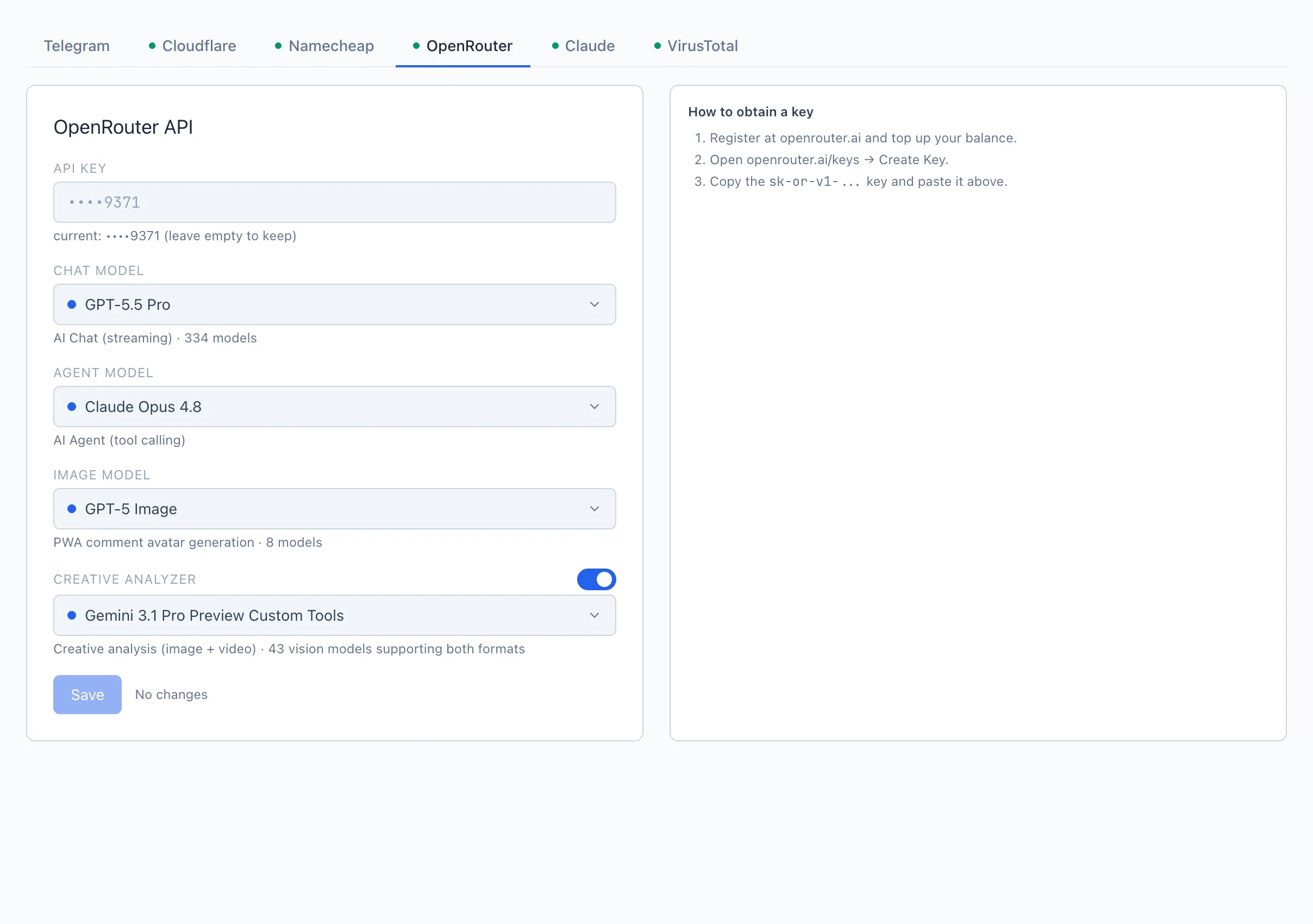
An access key to OpenRouter for the Qubix AI features. Paste the API key (in the form sk-or-v1-...) and choose the models:
- Chat model — for the AI Chat.
- Agent model — for the AI Agent.
- Image model — generating avatars for PWA comments (optional).
- Creative analyzer — a separate toggle and model choice for creative analysis; when turned off, creative analysis is not performed.
Click Save.
VirusTotal
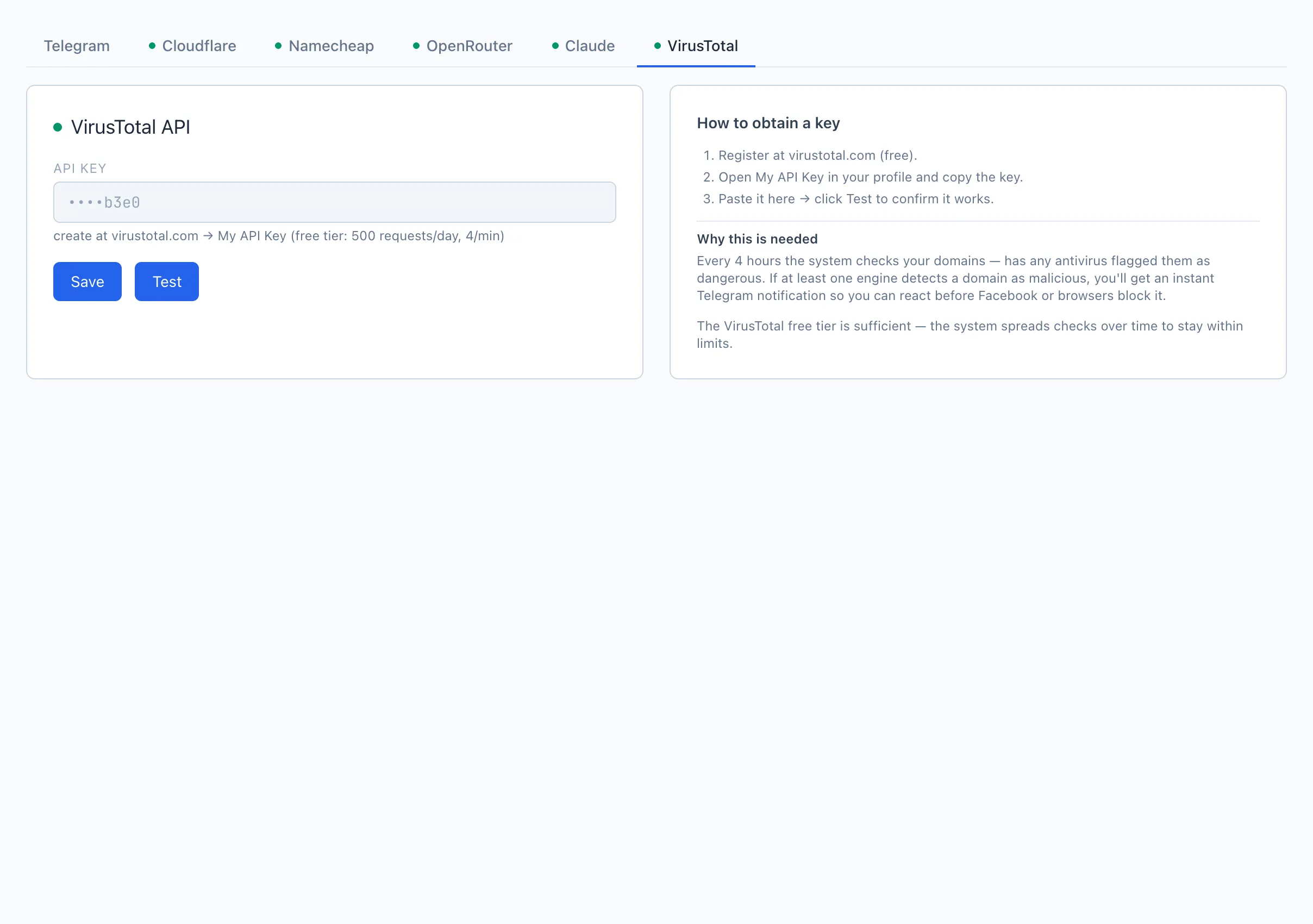
A VirusTotal API key for automatically checking your domains for "maliciousness". Every few hours the system compares your domains against the antivirus databases, and if at least one flags a domain as dangerous — you will get a notification in Telegram. Paste the API key and click Test. The VirusTotal free tier is sufficient — the system spreads the checks over time to stay within the limits.
The personal token for integrations now lives on the MCP/API page, where you also get the endpoint, client setup and the method catalog. See MCP/API.