Creating a source
A source describes the platform the traffic comes from: which parameters to take from the ad link and where to return the postback about events. The + Add source button opens a separate creation page (not a pop-up dialog).
How to create a source
-
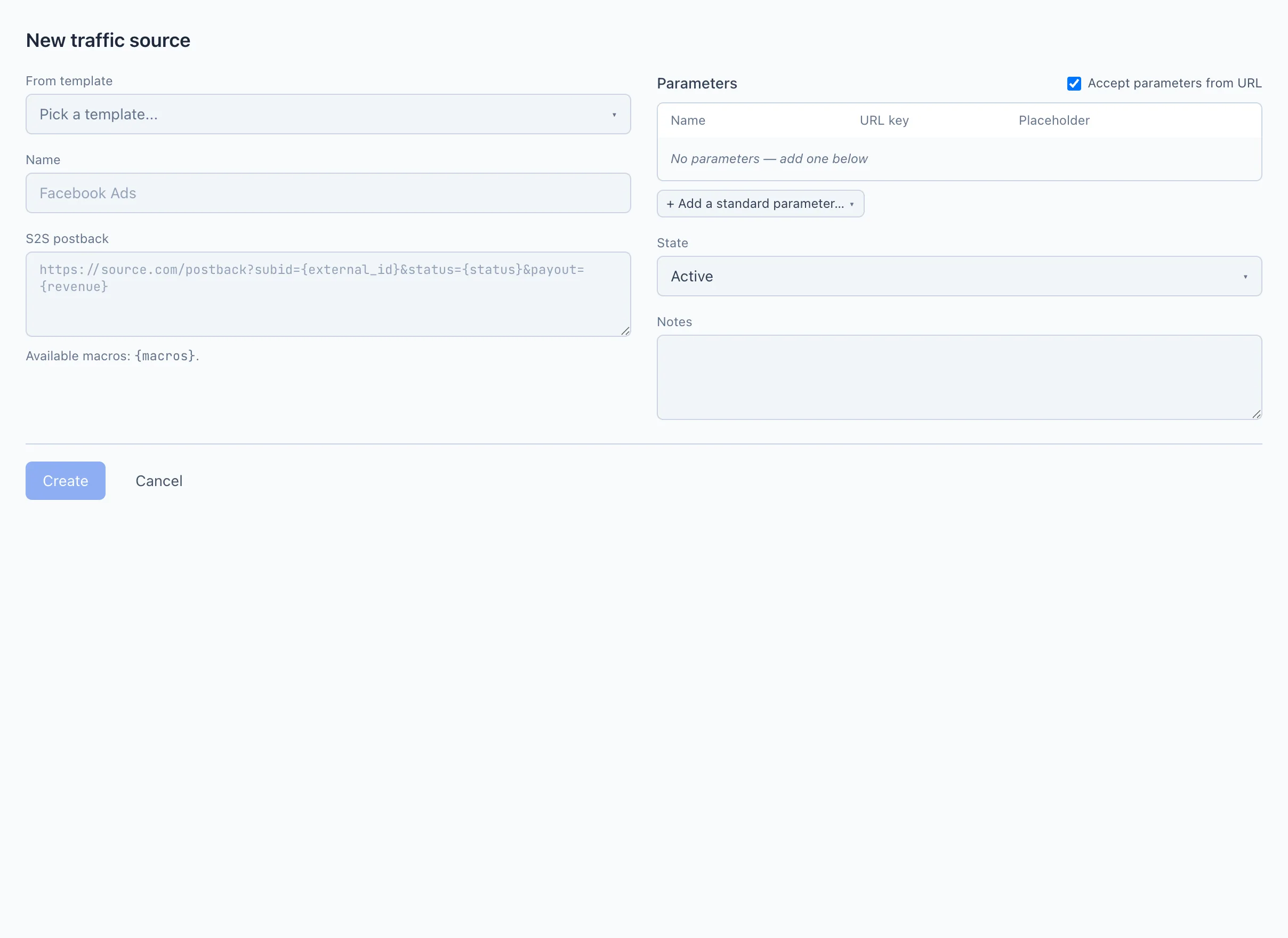
Open Sources and click + Add source.
-
(Optional) Choose a ready-made template in the From template field — it will fill in the name, the postback and the set of parameters.
-
Fill in the Name — how the source will be called in lists and statistics.
-
For Facebook, set up the event mapping in the Conversions API block (shown automatically when the
facebooktemplate is selected). For other platforms, event return is described in Parameter passing and postback. -
In the Parameters table, check which data the source puts into the link. A new source opens as Facebook and shows Ad ID and Pixel ID; choosing another template rebuilds the table for that platform.
-
Choose the Status (Active / Paused) and, if you wish, add Notes.
-
Click Create. To exit without saving — Cancel.
The Create button is inactive until the Name is filled in. If you do not have the right to manage sources, the form opens for viewing only.
Field breakdown
From template
A ready-made source preset. Choosing a template fills in the name, the postback and the set of parameters for you — then they can be edited. The field is optional: a source can also be assembled manually.
Name
The source name in the interface. Specify a clear name, for example Facebook Ads or Push network.
S2S postback
The link for notifying the platform about an event (registration, deposit, etc.), with macros such as {external_id} and {status}.
Returning postbacks to non-Facebook platforms is not available yet — it is planned. For Facebook, events are returned automatically through the Conversions API (see below). More — Parameter passing and postback.
If the facebook template is selected, the S2S postback field is replaced by a Conversions API block: events are sent to Facebook automatically, and you set up only the mapping "Qubix event → Facebook event" (for example, deposit → Purchase). The pixel is taken from the click link, the token — from the pixel registry. More — Facebook Conversions API and Pixels.
Parameters
The table describes which values the source passes in the ad link. Each row is one parameter with three fields:
- Name — how the parameter is called in forms and statistics (for example,
Ad ID). - URL key — under which key the value comes in the link (what stands before
=). - Placeholder — what the source substitutes into the value: a platform macro (for example,
{{ad.id}}for Facebook) or a fixed value.
Available built-in parameters:
- Ad ID — the ad identifier. It is the key from which Qubix pulls the rest of the Facebook data automatically (see the tip below), and it also drives the per-ad statistics.
- Pixel ID — the Facebook pixel identifier. Used to send events to the Conversions API.
- Source — the traffic-source marker for a click. Facebook, Google and TikTok are recognised automatically by their click id (
fbclid/gclid/ttclid); for other platforms you pass asourceparameter (for example?source=propellerads) so Qubix can tell one platform from another. - Sub 1 … Sub 16 — extra slots for your own custom marks. Use them only for values that are genuinely your own: the Facebook ad data below is pulled automatically, so do not spend subs on it.
To add a parameter, select it in the + Add a standard parameter… list below the table. To remove one — click the cross in the row.
From the Ad ID, Qubix pulls from Facebook on its own: the campaign (name and ID), the ad set (name and ID), the ad (name and ID) and the creative itself — the image or video together with its title and body. You do not need to pass any of this in the link.
Next to the table, Qubix shows the Example URL for an ad block — a ready-made link that can be copied and pasted into the ad's URL field on the platform. In the example you can choose your domain and a Pixel ID from a list.
Uncheck the Accept parameters from URL box if you do not want Qubix to save parameters from this source's links. By default the box is on.
Status
Active — the source is in use. Paused — turned off.
Notes
Free text for you and your team. Shown under the source name in the general list.