Sources
A traffic source is where your clicks come from: Facebook Ads, push networks and other platforms. A source defines which parameters to take from the ad link (for example, the ad identifier and the pixel) and helps Qubix tell which platform a click came from (Facebook, Google, TikTok or another).
The Sources section shows all your sources with their metrics for the selected period.
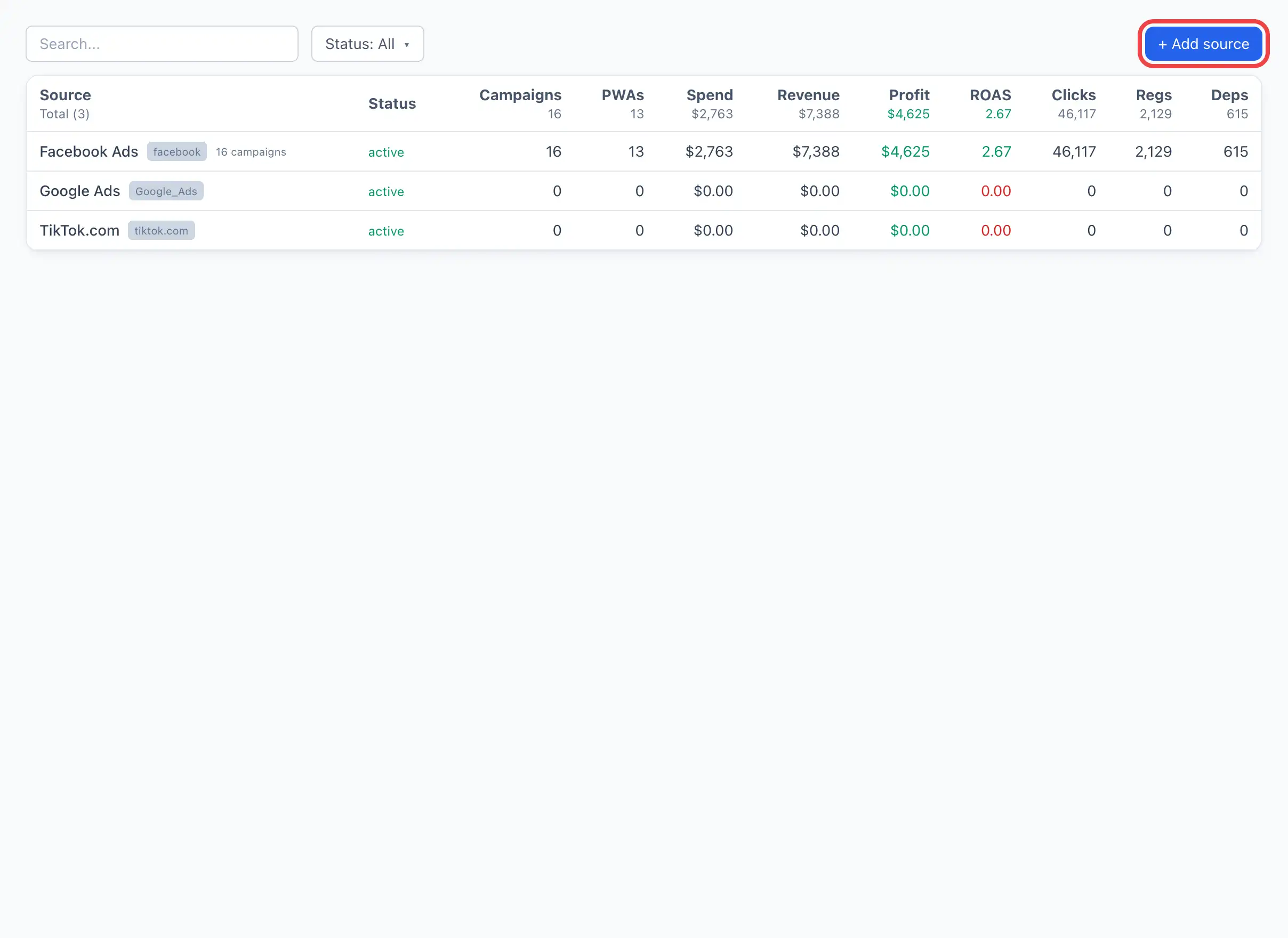
List of sources
At the top is the + Add source button (visible if you have the right to manage sources). It opens a separate creation page — see Creating a source.
Each table row is one source. The columns:
| Column | What it shows |
|---|---|
| Source | The source name. Next to it — the template mark (for example, facebook) and the number of bound campaigns. Below the name — a note, if it is filled in. |
| Status | Active or Paused. |
| Campaigns | How many campaigns use this source. |
| PWAs | How many PWA apps are linked to the source. |
| Spend | The spend for the period. |
| Revenue | The revenue for the period. |
| Profit | Revenue minus spend. Green — a plus, red — a minus. |
| ROAS | The return on ad spend (revenue / spend). |
| Clicks | The number of clicks. |
| Regs | The number of registrations. |
| Deps | The number of deposits. |
The table can be searched by name and sorted by any column. Click a row to open the source card.
Source card
Clicking a row opens a card with the source metrics and tabs. At the top — the KPI and a chart for the period, below — the tabs:
- Settings — the source editing form (the same fields as during creation). More — Creating a source.
- By day — the dynamics of the metrics by day.
- Campaigns — the campaigns using the source.
- Ads — the ads that brought traffic.
- Creatives — the creatives for this source.
- Ad campaigns — the Facebook ad campaigns.
- Networks — the ad networks the traffic went through. More — Networks.
- PWA — the PWA apps linked to the source.
- Deposits — the list of deposits.
- Regs — the list of registrations.
- Clicks — the list of clicks.
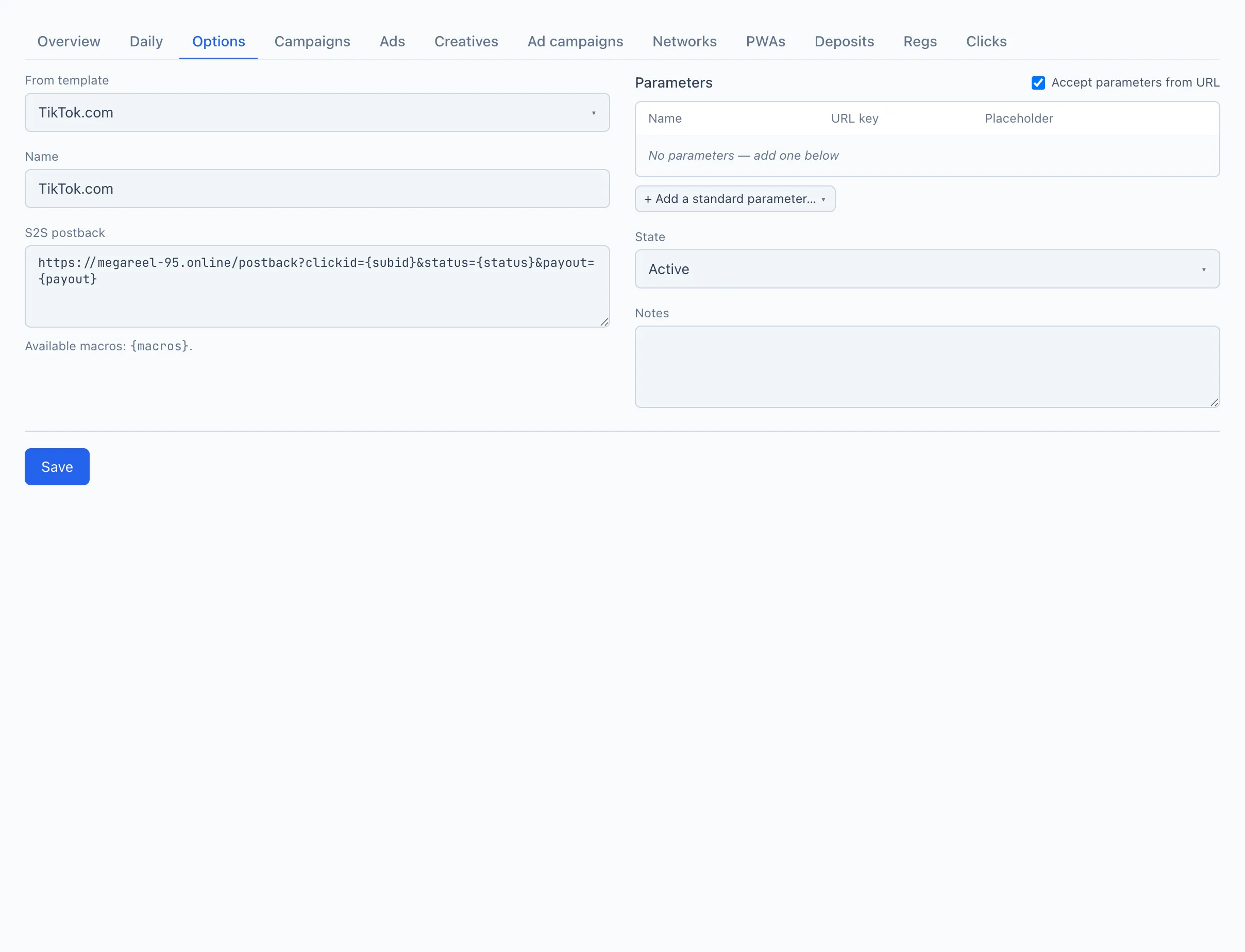
How Qubix identifies the source
Qubix reads the source from each click, so several sources can run on the same domain and still be told apart:
- a click with
fbclid→ Facebook; - a click with
gclid→ Google; - a click with
ttclid→ TikTok; - otherwise — the
sourceparameter from the link, which you set for platforms Qubix does not detect automatically; - if none of these is present, the source stays undefined.
Facebook, Google and TikTok add their click id to the link themselves, so for them nothing extra is needed. For any other platform, add a source parameter to the ad link with the platform's name — see the Source parameter in Creating a source.